 Writwell
Table of authorities and pleading paper for Google Docs
Writwell brings the brief-formatting tools you used in Word to Google Docs. It builds a table of authorities from the citations you already typed, with real page numbers and passim, and updates it in place. It sets up pleading paper, writes the caption page, keeps section and exhibit references numbered, and checks your defined terms. No AI, and your brief never leaves Google.
Email us to get Writwell See pricing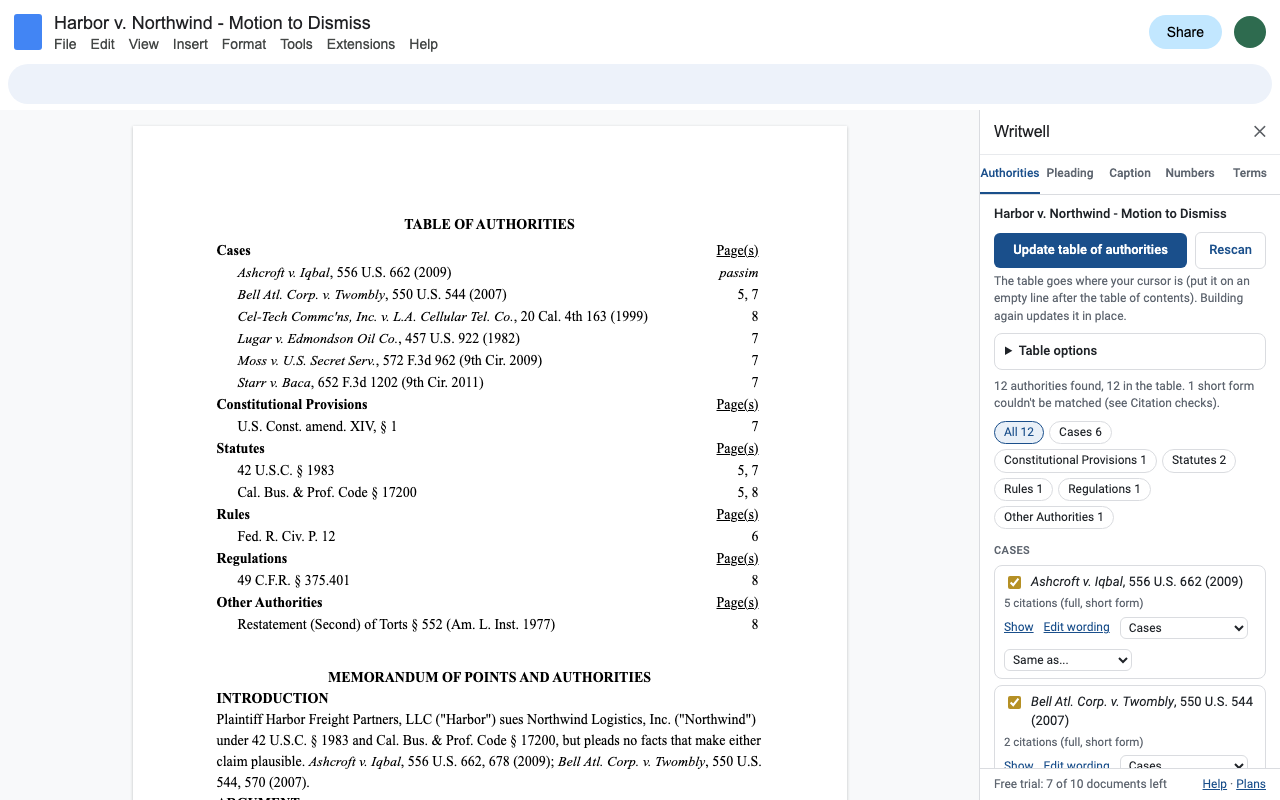
A table of authorities from the citations you already typed
Every kind of authority
Cases in Bluebook and California style with parallel cites, constitutions, U.S.C. and state codes, Pub. L., federal and state rules, California Rules of Court, local rules, C.F.R. and Fed. Reg., law reviews, Restatements, treatises.
Short forms count
"Iqbal, 556 U.S. at 679", "Id. at 680", "Smith, supra, 25 Cal.4th at p. 5", "§ 1983" and "Rule 12(b)(6)" are traced to the full citation, so their pages are listed too. Footnotes are read as well.
You review it first
Leave an entry out, move it to another category, edit its wording, merge two that are the same case, or mark anything the scan missed. Choices are saved in the document.
Real page numbers
Pages come from the document's own print layout. "Passim" once an authority is on 5 or more pages, your choice of threshold. Start page 1 after the caption and tables.
Updates in place
Edit the brief and click Update: the same table is rewritten, never duplicated.
Citation checks
Short forms with no full citation before them, Id. after a string cite, one citation with two case names, case names that aren't italicized.
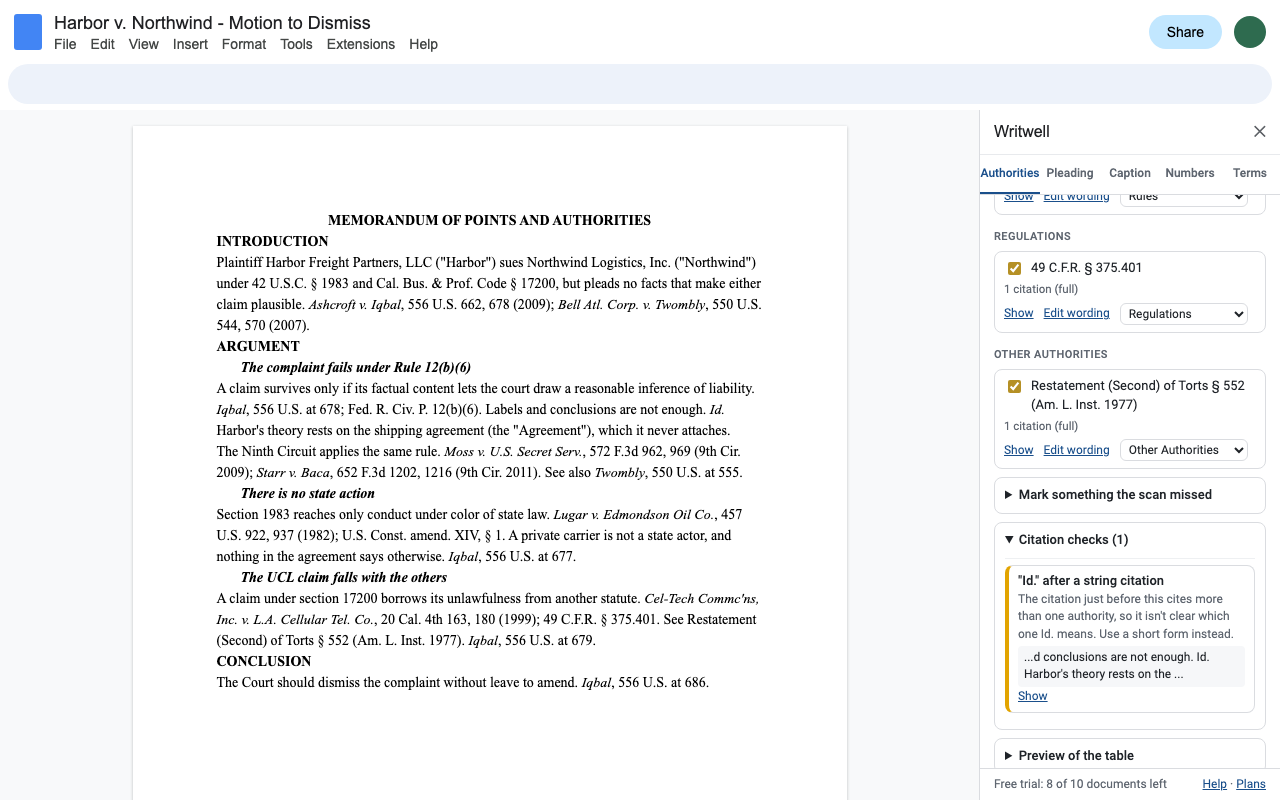
Pleading paper, the whole layout
Pick your court and click Apply. Writwell sets US Letter pages and the margins, draws 28 numbered lines beside a double rule with a rule on the right, adds a footer rule with the document title, and spaces your text so double-spaced lines sit on the numbers. Presets: California state courts (Cal. Rules of Court, rules 2.104, 2.107, 2.108, 2.110 and 2.111), U.S. district courts in California, 28-line and 26-line paper, or your own line count.
How it works in Docs: Docs has no numbered-margin object an add-on can create, so the numbered column and the rules are images anchored in the page header, repeating on every page, evenly spaced (rule 2.108(4) accepts that). Docs' own Tools > Line numbers numbers lines of text and draws no rules or footer; Writwell does the pleading layout. Add the page number with Insert > Page numbers, since Docs doesn't let add-ons insert that field.
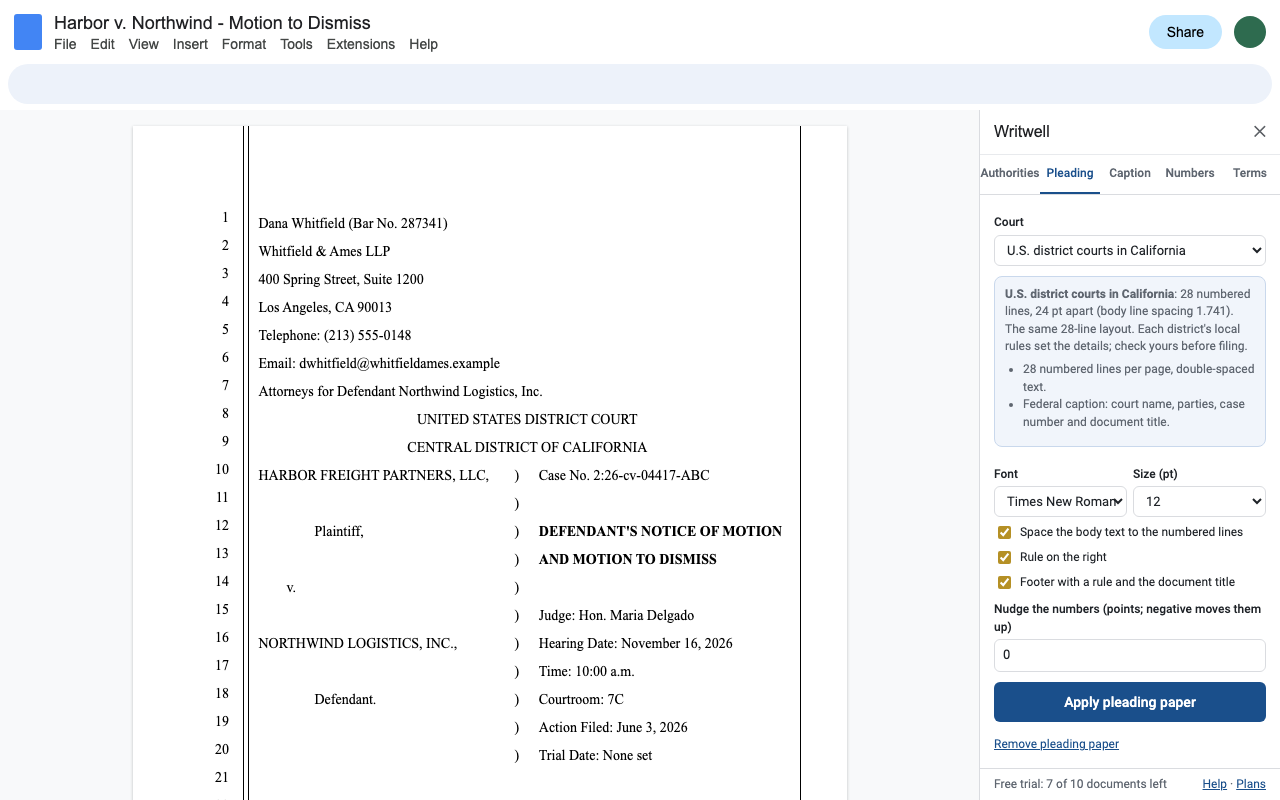
The caption page
Fill in the attorney, court, parties and case details once. Writwell writes the attorney block on lines 1 to 7, the court title from line 8, and the caption with the parties, a column of ")" and the case number, document title, judge and hearing details. Change a field and update it in place; the document title also goes in the pleading footer.
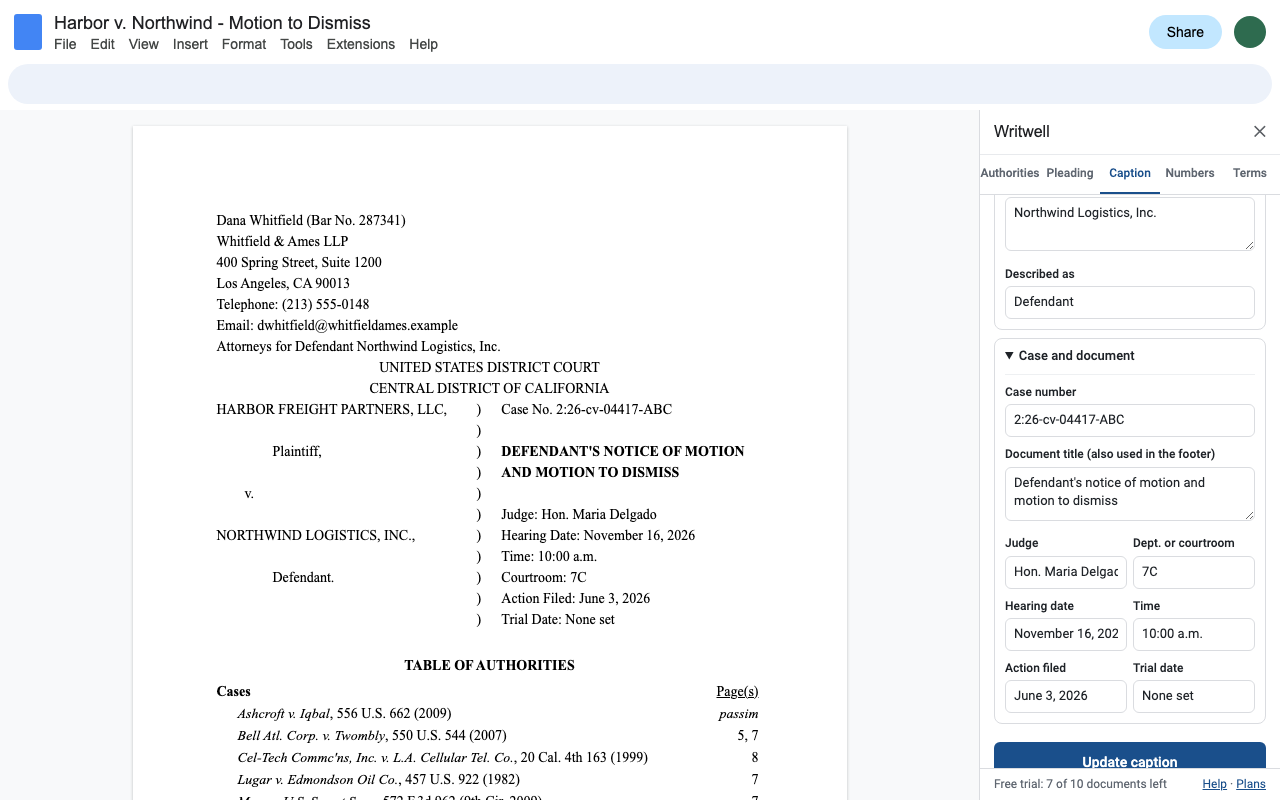
Section and exhibit numbers that follow along
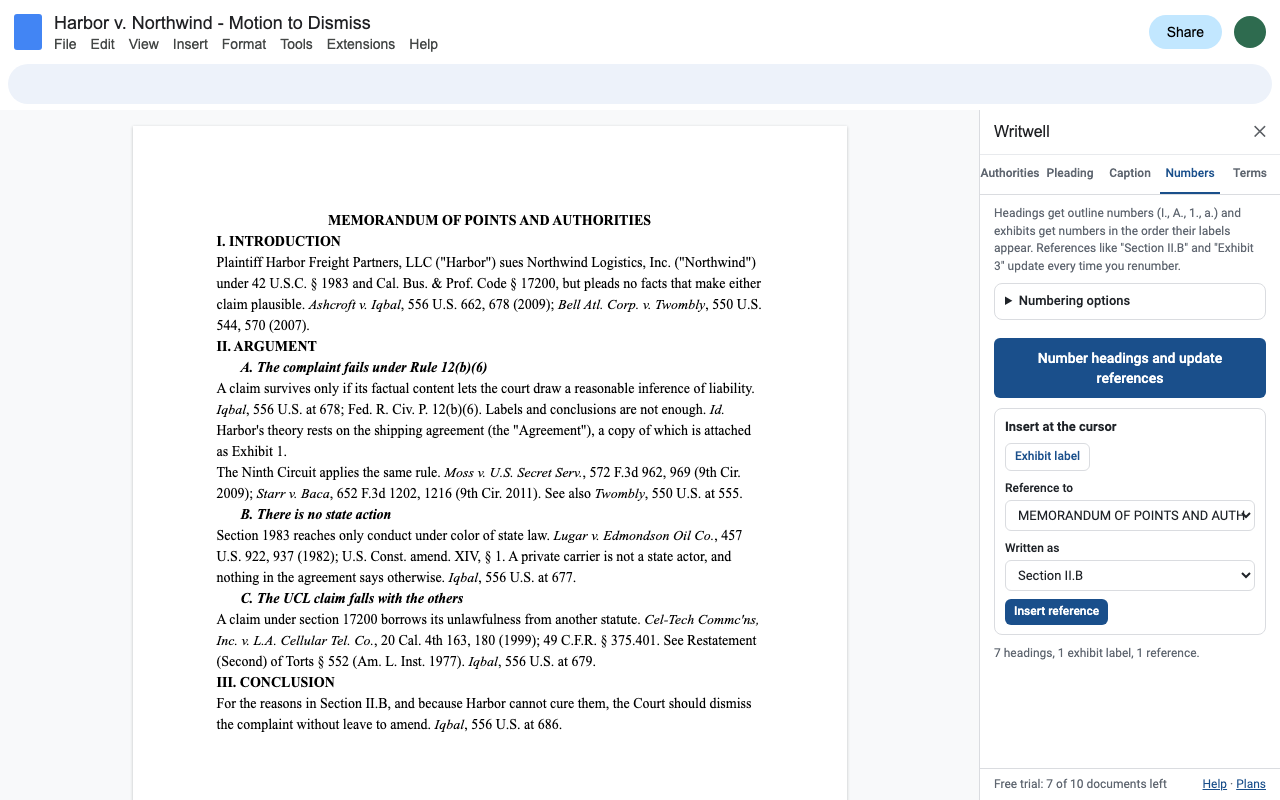
Outline numbers for your headings (I., A., 1., a.), exhibit labels that number themselves in order, and references like "Section II.B" or "Exhibit 3" that change when you add, move or delete sections and renumber. References whose target was deleted are listed, so nothing points nowhere.
Defined terms, checked
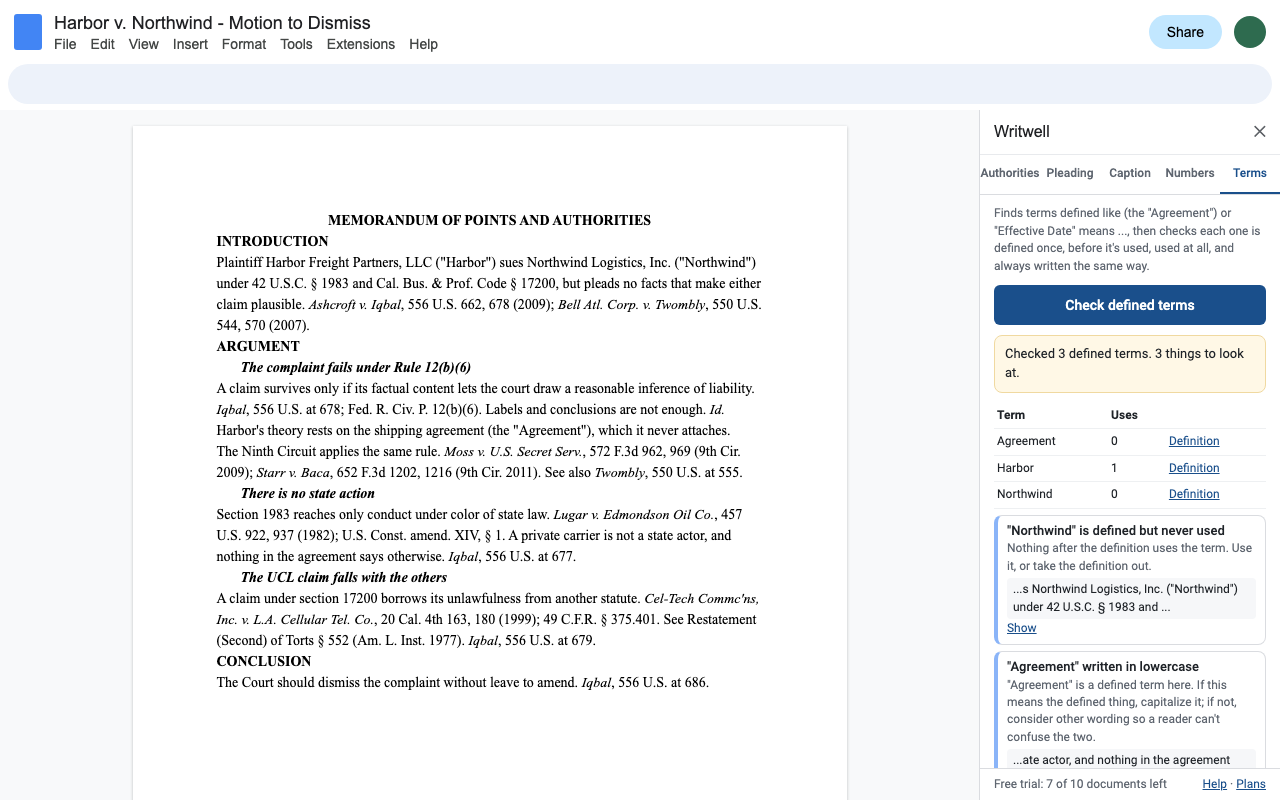
Writwell finds definitions like (the "Agreement") and "Effective Date" means ..., lists each term with its uses, and flags terms used before they're defined, defined but never used, defined twice, written in lowercase after the definition, or written with different capitals.
Pricing
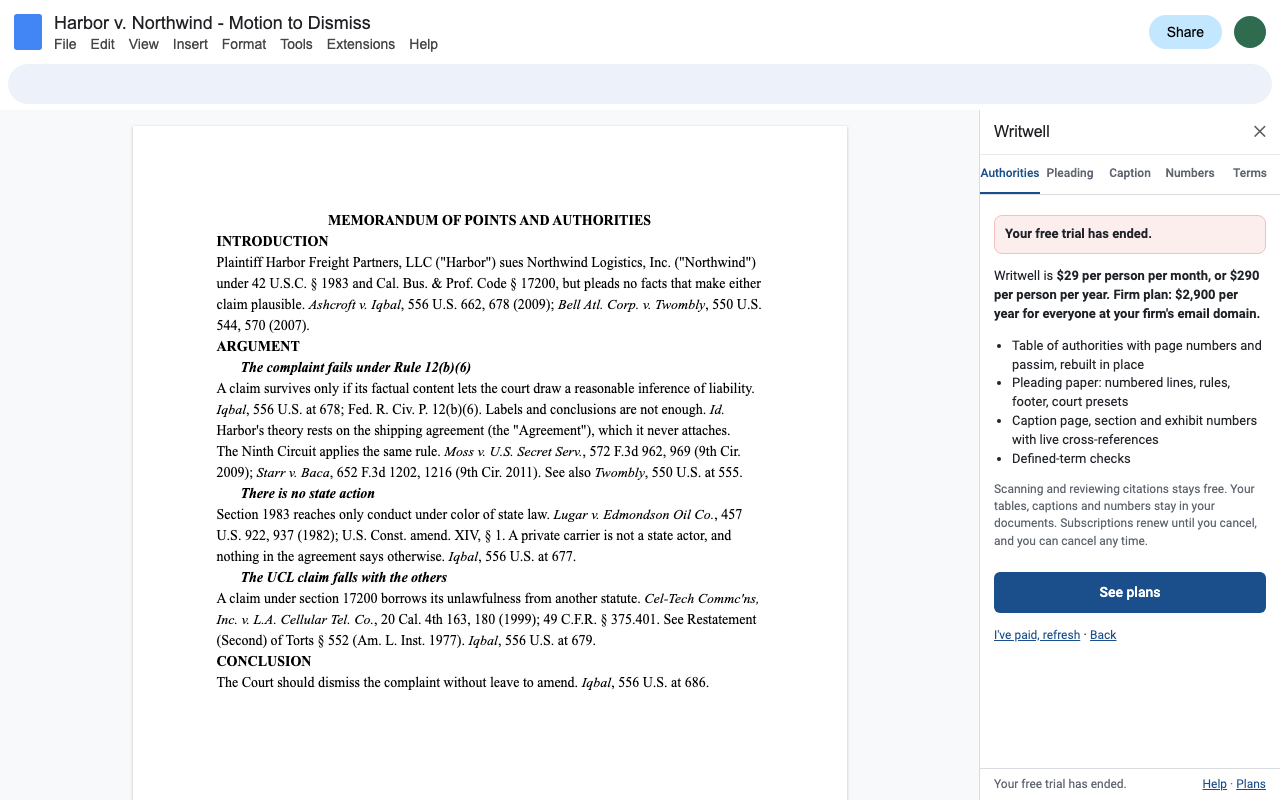
One Google account. Cancel any time.
One Google account. Two months free compared with monthly.
Firm plan: everyone at your firm's email domain, one invoice. Bought by one person at the firm.
Free trial: 10 documents or 14 days, whichever comes first. No card needed. Everything you do on a document for 24 hours counts as one use. Scanning and reviewing citations is always free, and tables, captions and numbers you already made stay in your documents.
Renewal: subscriptions renew automatically at the same price each month or year until you cancel. Cancel any time from Extensions > Writwell > Plans and billing (Manage billing); you keep access until the end of the period you paid for.
UK and EU customers: you can cancel within 14 days of your first purchase for a full refund, no reason needed. Email hello@greatwork.company.
Privacy and permissions
- Writwell only opens the Doc you use it in (Google's "current document only" permission). It can't see anything in your Drive.
- Everything runs inside Google Apps Script under your own account. No text is sent to Great Work, and nothing goes to any AI service.
- For page numbers, Writwell briefly puts a link on each citation, exports the Doc to PDF within the same run to see which page each link is on, then takes the links off and puts back any link you had. The PDF isn't saved or sent anywhere.
- We receive your Google account email (for your license) and, during the trial, a count of documents.
Full policy: addons.greatwork.company/privacy. Terms: addons.greatwork.company/terms.
Questions
Does it check Bluebook compliance?
No. It recognizes citation patterns to build the table and flags structural problems (a short form with no full citation, Id. after a string cite). The Bluebook is a licensed work and Writwell doesn't claim to apply it. It also doesn't check whether a case is still good law.
My citations are in footnotes. Does that work?
Yes. Footnote citations are found and counted on the page where the footnote is, and Id. in footnotes follows the footnote citations.
Which courts does pleading paper cover?
California state courts (from the Rules of Court text), U.S. district courts in California, and general 28-line and 26-line paper, plus a custom line count. Every court has its own local rules; check yours before filing.
Will it change my brief without asking?
No. It writes only what you click: the table, the caption, numbers and references, pleading setup. Each is an ordinary edit that Edit > Undo or version history reverses.