Citations and APA/MLA paper formatting for Google Docs
Paste a DOI, ISBN, PubMed ID or link, cite at your cursor, and get a reference list that keeps itself right. Six styles, switch any time, and a paper setup that does the title page, margins and spacing for you.
Email us to get Refwell See pricing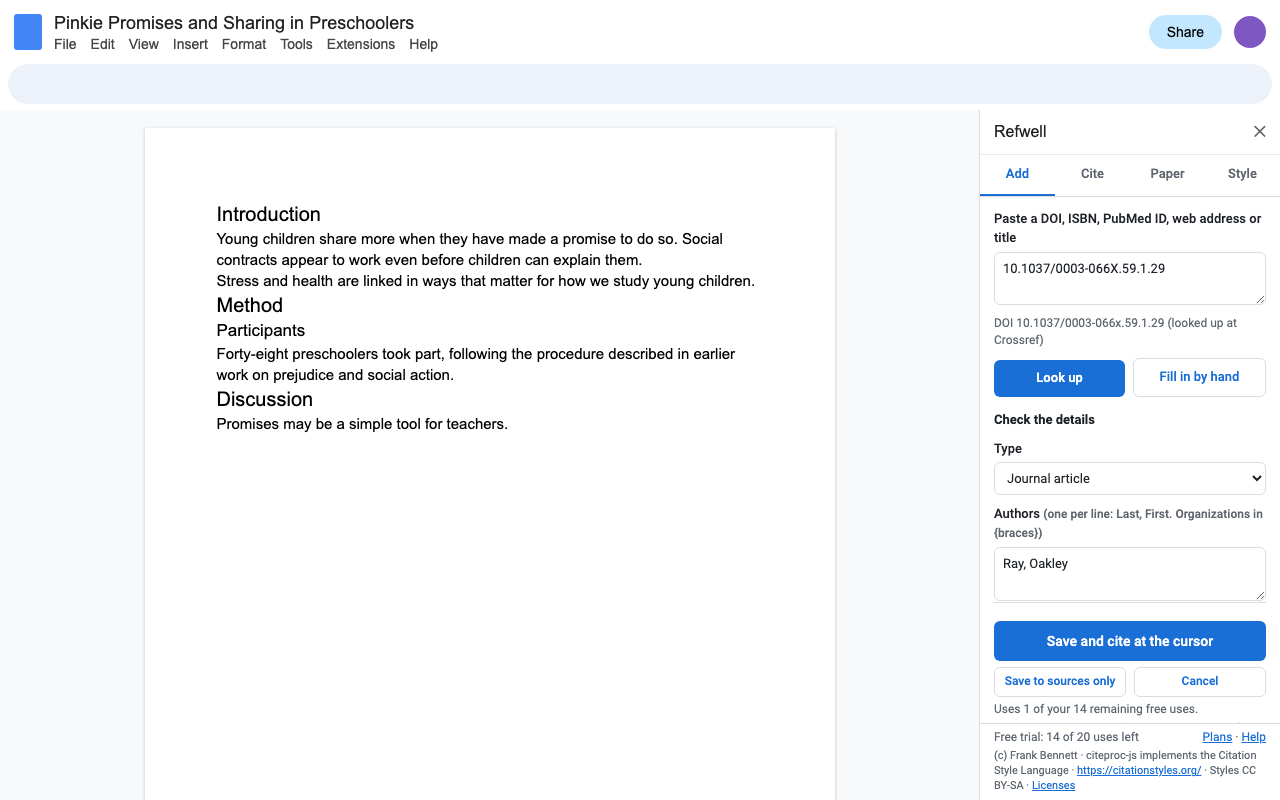
Find a source in seconds
From Crossref, and DataCite for datasets, Zenodo and arXiv. Paste a journal's web address and Refwell finds the DOI in it.
Book details from Open Library, ISBN-10 or ISBN-13, with or without dashes.
Article details from NCBI.
Paste a title or a whole reference and pick the right match.
A short form with the right fields for 15 source types, from web pages to films and datasets.
Paste DOIs or ISBNs one per line, or import BibTeX and RIS from Zotero, Mendeley, EndNote or Google Scholar.
Citations that keep themselves right
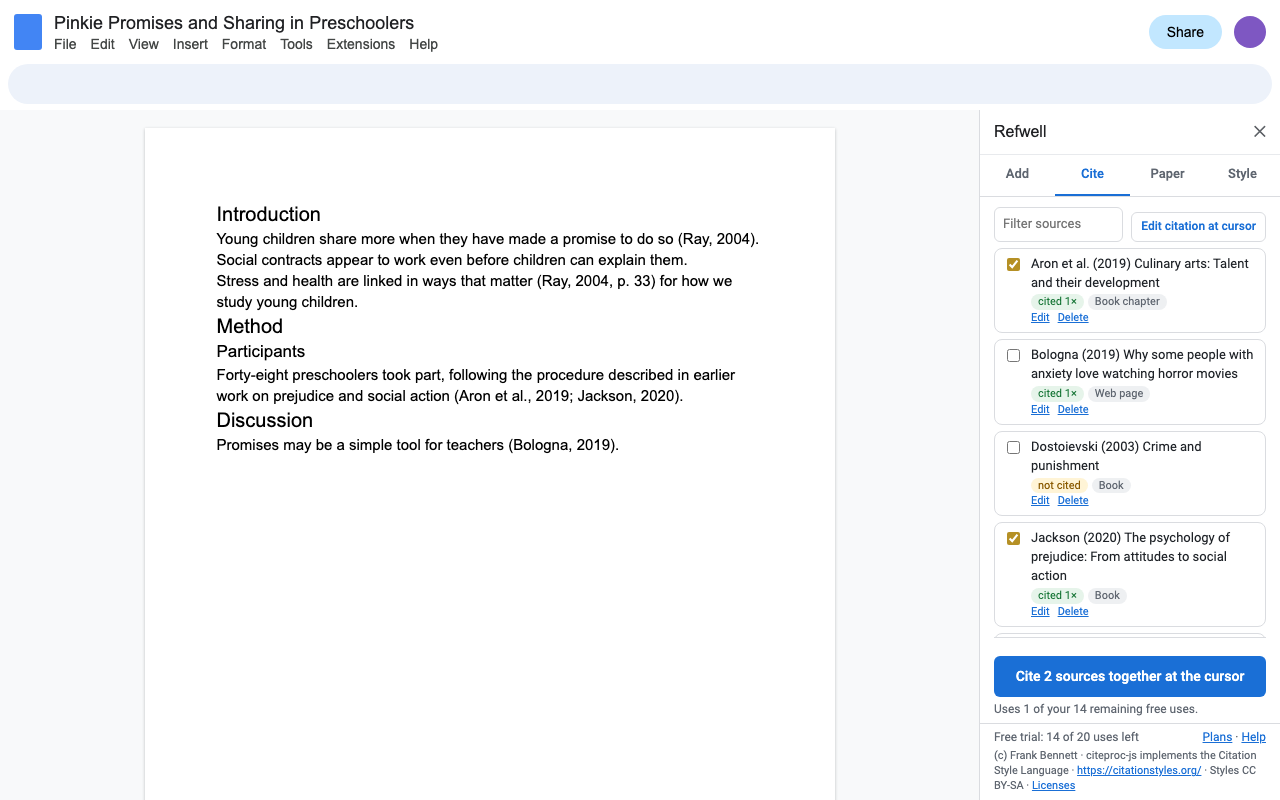
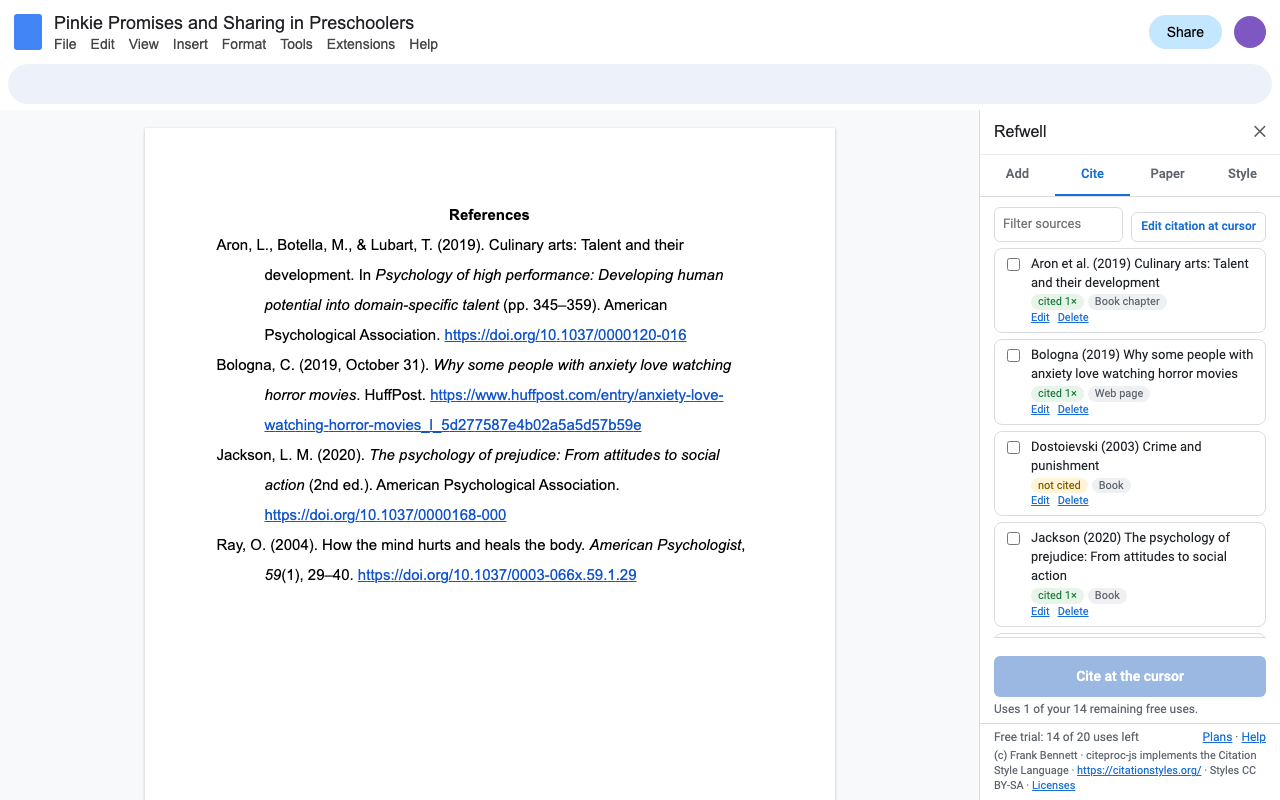
Cite at your cursor with page numbers: (Grady et al., 2019, p. 55), or in the sentence: Grady et al. (2019). Edit a source and every citation and the reference list change with it. Delete a citation and it leaves the list. Same author, same year? You get 2019a and 2019b.
Six styles, switch any time
| Style | In the text | The list |
|---|---|---|
| APA 7th | (Ray, 2004, p. 33) | References |
| MLA 9th | (Ray 33) | Works Cited |
| Chicago 18th author-date | (Ray 2004, 33) | References |
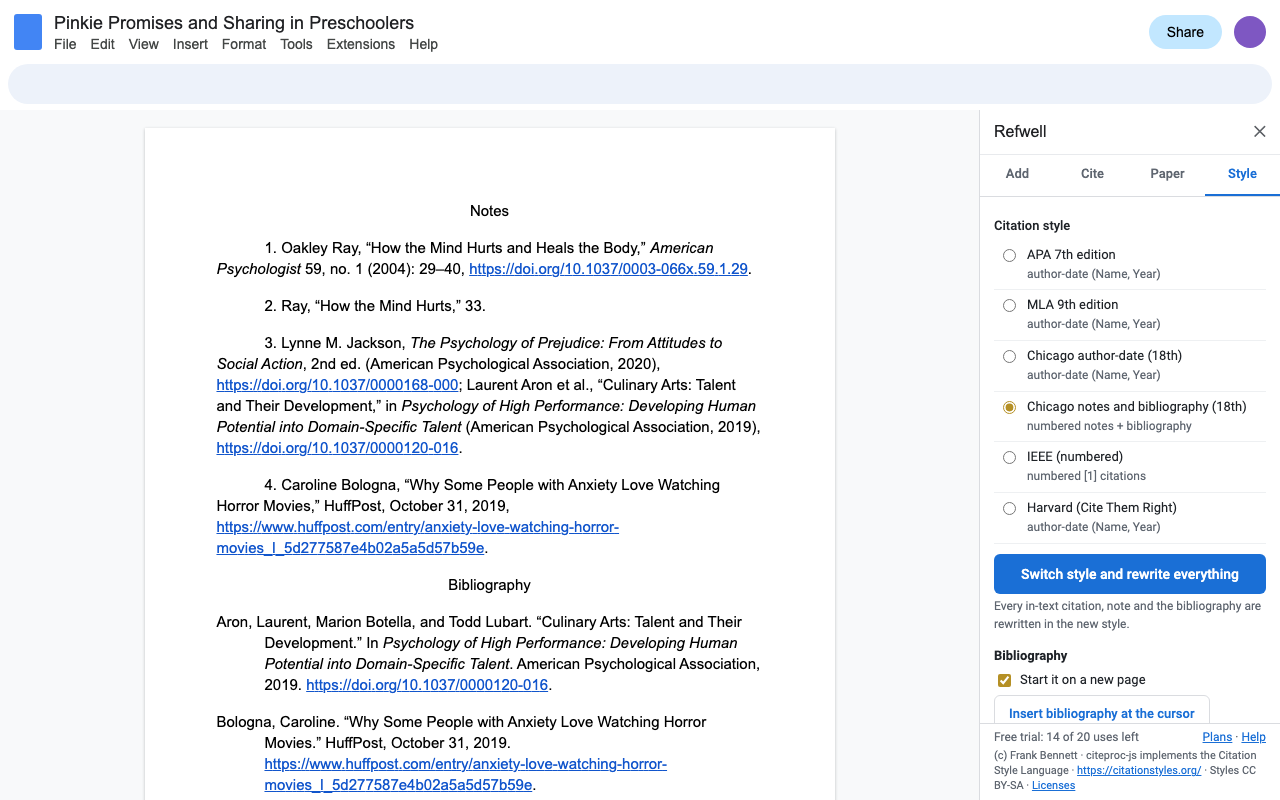
| Chicago 18th notes and bibliography | superscript note numbers, full first note, short notes after | Notes and Bibliography |
| IEEE | [1], [2, p. 7], numbered in the order you cite | numbered References |
| Harvard (Cite Them Right) | (Ray, 2004, p. 33) | Reference list |
Switching rewrites every citation, note and the reference list. Formatting comes from the official Citation Style Language styles, the same ones Zotero and Mendeley use.
![The Style tab with IEEE chosen; the Doc's citations are now numbered [1] to [4].](/docs-citations/04-switch-style.png)
Paper setup in one click
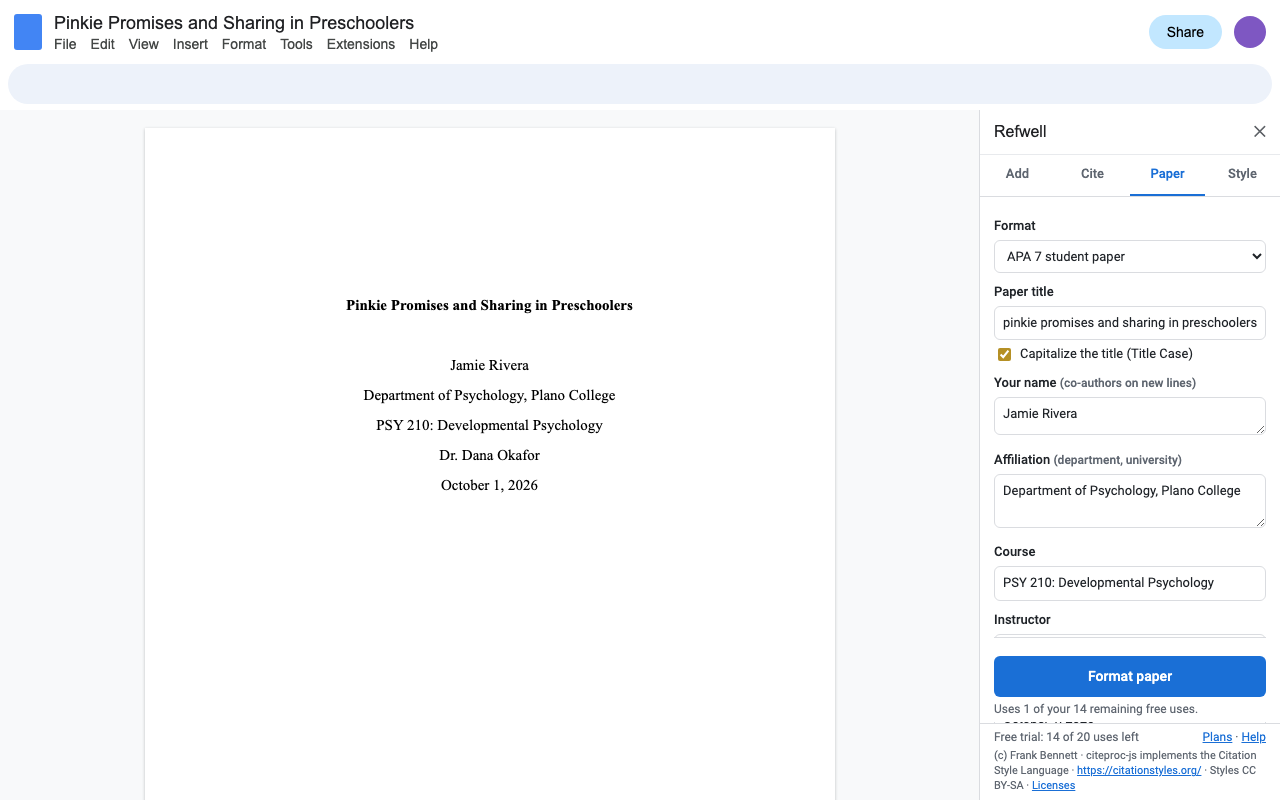
Title page with your title, name, affiliation, course, instructor and due date.
Title page, author note and the running head in the header.
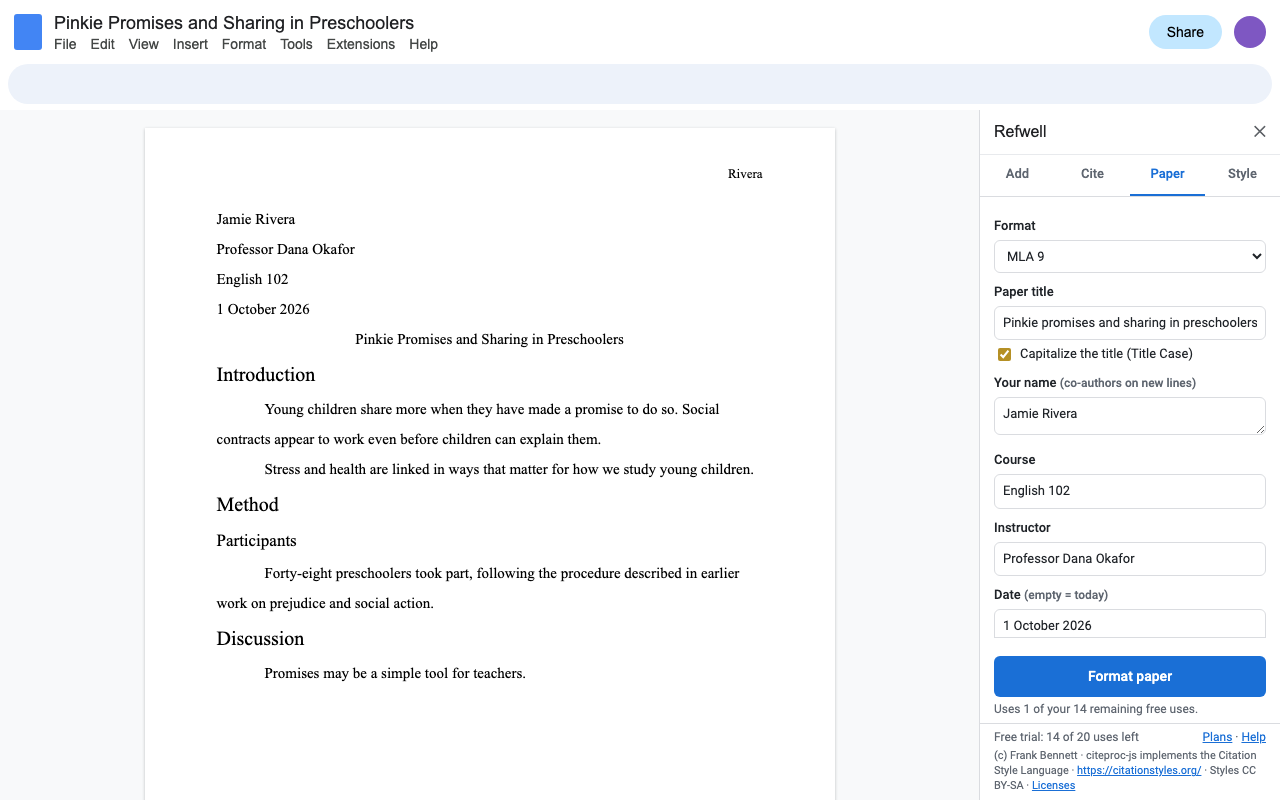
The four-line heading, centered title and your last name in the header.
Title page with title, name, course and date.
Plus 1 inch margins, the font you pick, double spacing, 0.5 inch first-line indents and APA heading levels 1 to 5. Google doesn't let add-ons insert page-number fields, so the last step is yours: Insert > Page numbers. Refwell tells you when.
Built to answer what people dislike about other citation add-ons
- It only asks for the Doc you open it in. No access to the rest of your Drive, and nothing runs when you're not using it.
- Citations are ordinary text in your Doc. Nothing gets deleted or rearranged behind your back, and they survive a download to Word as text.
- No separate account, no desktop software, no browser extension.
- Your sources are saved in the Doc, so a co-author you share it with sees the same list. Export them as BibTeX or RIS whenever you like.
- Refresh, editing and export keep working after a trial ends: your paper is never stuck half-formatted.
- A person answers support email within one business day.
Pricing
One Google account. Cancel any time.
One Google account. About $6.66 a month.
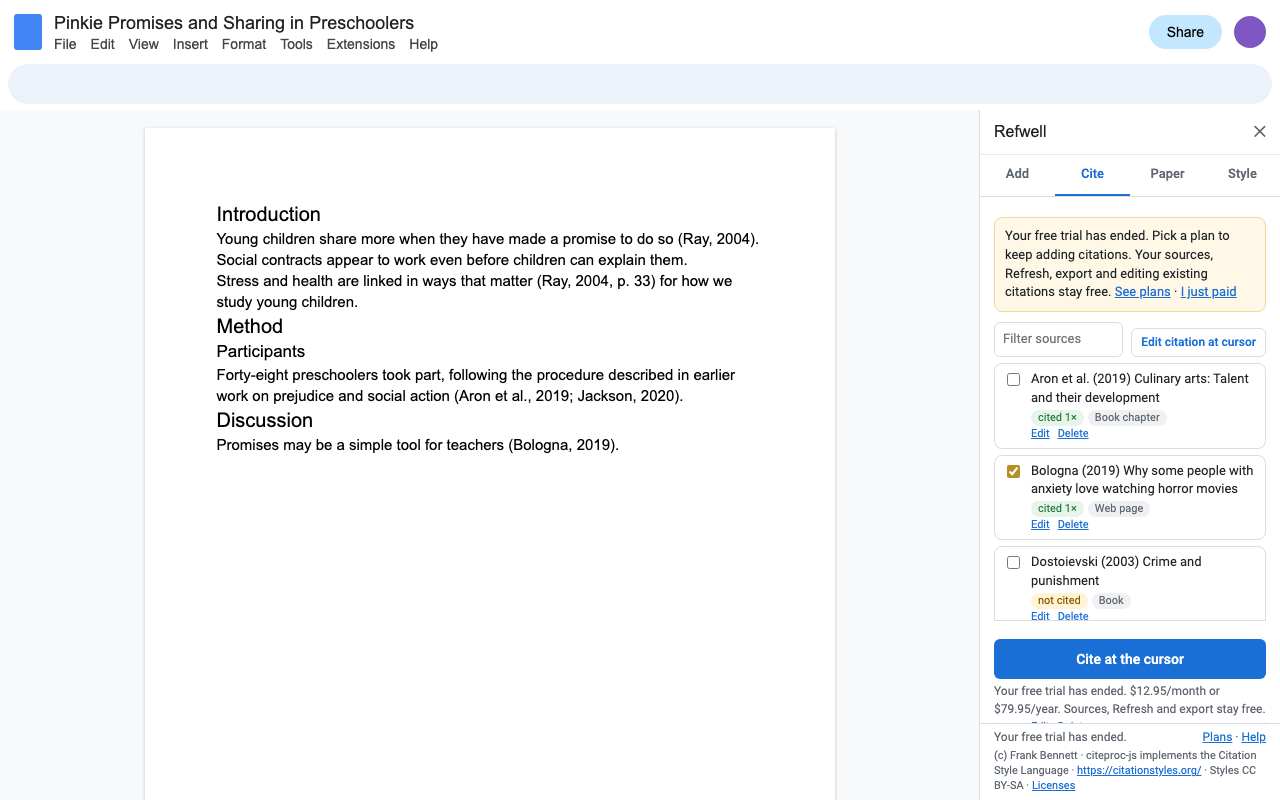
Free trial: 20 uses or 14 days, whichever comes first. No card needed to try it. One use is inserting a citation or a bibliography, formatting a paper, or switching style. Lookups, your source list, Refresh, editing or removing citations, export and import are always free.
Renewals and cancelling
Subscriptions renew automatically at the same price, monthly or yearly, until you cancel. Cancel any time from Extensions > Refwell > Plans and billing (Manage billing); you keep access until the end of the period you've paid for, and you won't be charged again.
UK and EU customers: you have a 14-day right to cancel a new subscription and get a full refund. Email hello@greatwork.company within 14 days of buying. If you've used the add-on during those 14 days, the refund may be reduced in proportion to what you used, as the law allows.
Privacy
Refwell can only see the Doc you open it in (Google's "current document only" permission). Lookups send only the DOI, ISBN, PubMed ID or title you typed to Crossref, DataCite, Open Library or NCBI, never your writing. Great Work's licensing server receives your Google account email and a count of uses, nothing else. Read the privacy policy.
Credits and licenses
Citation formatting by citeproc-js: (c) Frank Bennett. citeproc-js implements the Citation Style Language. https://citationstyles.org/. Refwell uses citeproc-js unmodified under the Common Public Attribution License 1.0; its Source Code is available under the CPAL here: refwell-third-party-source.zip (the exact file Refwell ships, the license texts, the original style files and the full notices), and at github.com/Juris-M/citeproc-js. Refwell's own code is not covered by the CPAL.
Citation styles and locales from the Citation Style Language project by their listed authors, under CC BY-SA 3.0; Refwell converts them from XML to JSON and shares that version under the same license. Metadata from Crossref, DataCite, Open Library (Internet Archive) and NCBI.