Highlighter labels for Google Docs, and every highlight in one place
Highlightwell gives each highlight color a meaning (Key idea, Evidence, Question), lets you highlight from the keyboard, and exports everything you highlighted to a new Doc or Sheet, grouped by label, with links back to each passage.
Email us to get Highlightwell See pricing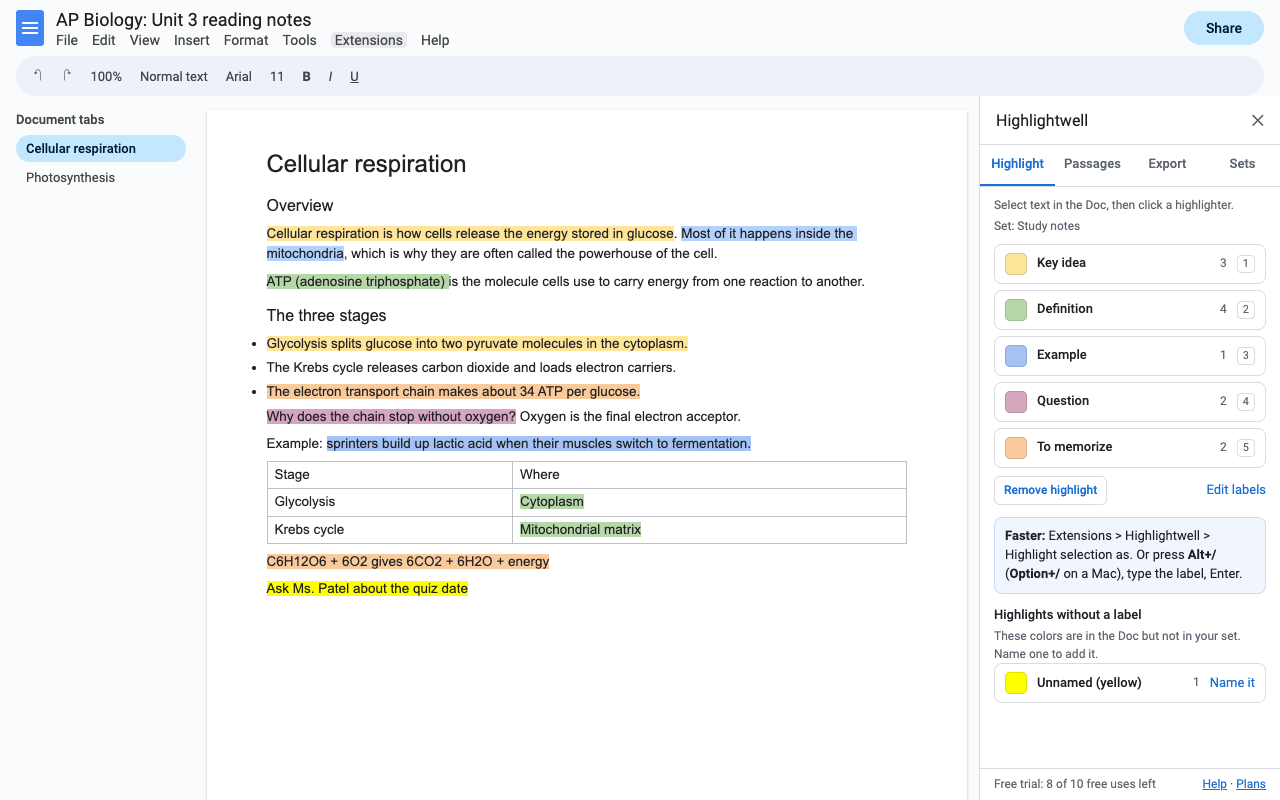
What it does
Ready-made sets for study notes, research, interview coding and essay feedback, or your own: up to 9 labels in any colors.
Alt+/ (Option+/ on a Mac), type the label, Enter. Or one click in the sidebar. Works across lines, list items and table cells.
All passages in every document tab, list and table, grouped by label or in order, with the heading they sit under. Click one to jump there.
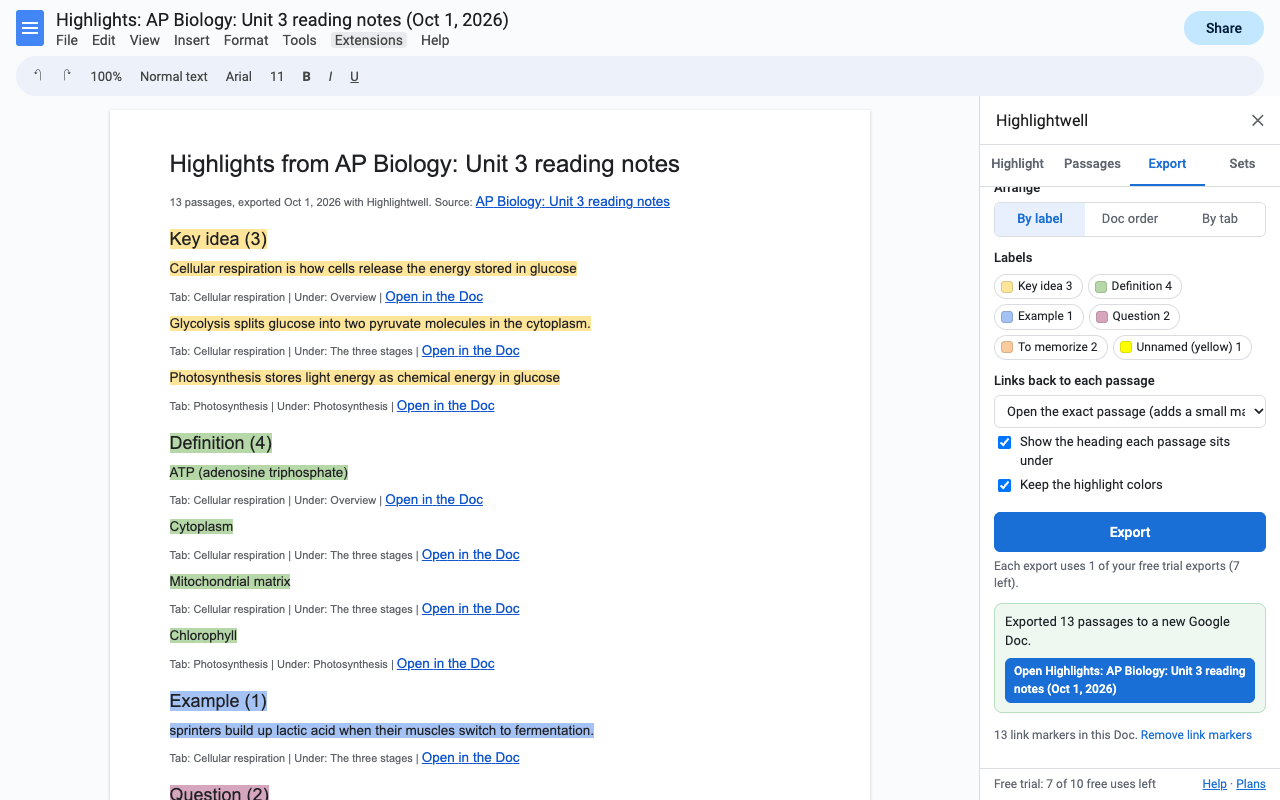
Ready-made study notes or an evidence list: grouped by label, in their colors, each with a link that opens the exact passage.
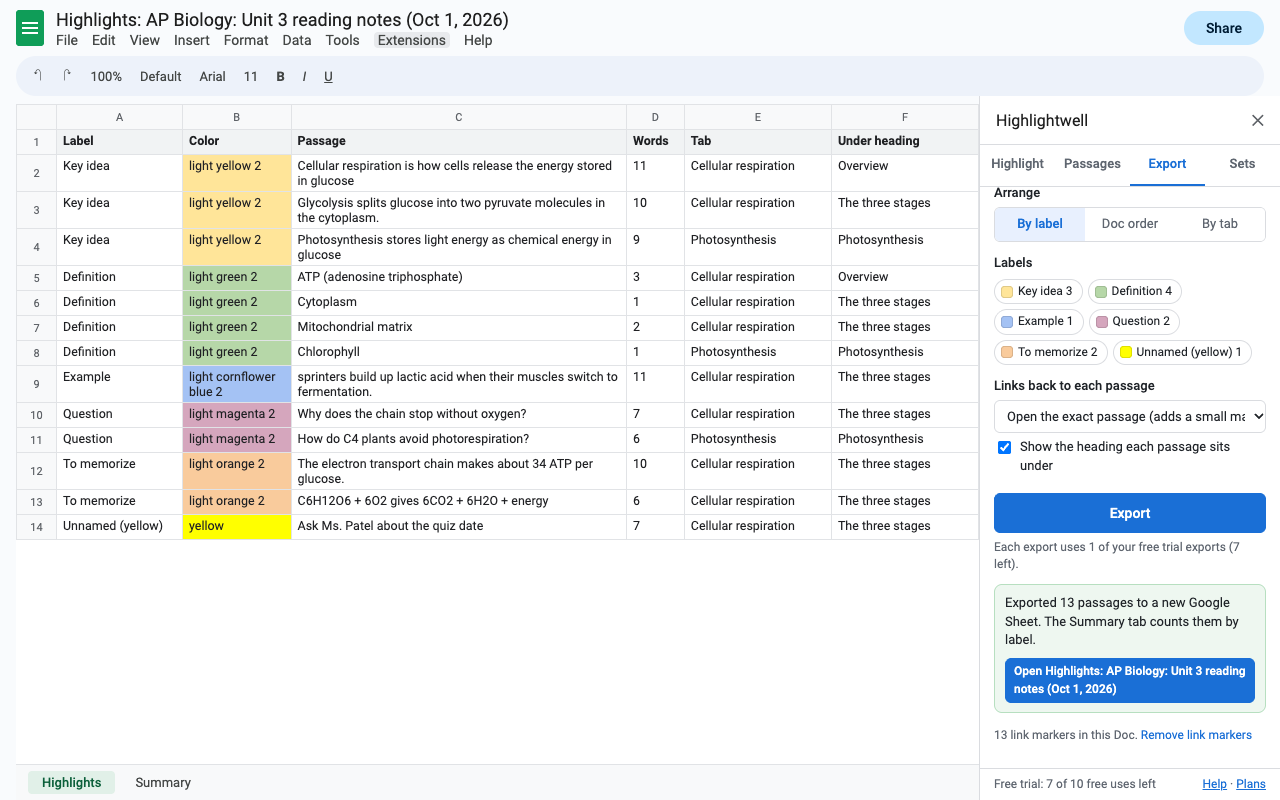
One row per passage with label, text, word count, tab, heading and link, plus a Summary tab. Keep adding more Docs to the same Sheet.
Attach a set to a Doc so everyone uses the same colors, or share it as a short code.
How to export highlighted text from Google Docs
- Install Highlightwell and open your Doc.
- Choose Extensions > Highlightwell > Export highlights.
- Pick New Google Doc, New Google Sheet, Add to a Sheet (one you exported before) or Copy as text. Choose by label, Doc order or by tab, and which labels to include.
- Press Export and open the file. Highlights you made before installing are included too; unnamed colors get their own group.
How to highlight in Google Docs with a keyboard shortcut
- With Highlightwell installed, select text.
- Press Alt+/ (Option+/ on a Mac) and type the highlighter's label, for example "Evidence".
- Press Enter. To remove a highlight, type "Remove highlight" instead.
Coding interviews or sources in Google Docs
Choose the Interview coding set (or make your own codes), highlight each transcript, then export the first one to a New Google Sheet and every later one with Add to a Sheet. Each row keeps the source Doc and a link to the passage, and the Summary tab counts passages and words per code across all of them.
Pricing
One Google account. Cancel any time.
One Google account. $2 a month.
Lifetime license for one Google account. No renewals.
Free trial: 10 exports or 14 days, whichever comes first. No card needed. Highlighting and browsing your highlights are part of the trial and don't use up exports.
Renewal: monthly and yearly plans renew automatically until you cancel in Extensions > Highlightwell > Plans and billing (Manage billing). You keep access until the end of the period you paid for. The lifetime license is a single payment.
UK and EU customers: you can cancel within 14 days of your first purchase for a full refund, no reason needed. Email hello@greatwork.company.
There is no free-forever plan, and nothing is charged inside the add-on without you choosing a plan first. Your highlights are ordinary Docs highlights and stay in your Doc either way.
Privacy and permissions
- Only the Doc you open it in. Highlightwell uses Google's "current document only" permission to read and change highlight colors. It can't see your other Docs.
- Only the files it creates. Exports are written with Google's per-file Drive permission, which covers the Docs and Sheets Highlightwell makes for you and nothing else in your Drive.
- Your text stays in Google. Everything runs inside Google Apps Script and Google's Docs and Sheets services under your account. No document text is sent to Great Work or anyone else.
- What it stores: with the Doc, a highlighter set you choose to attach to it and the ids of link markers. In your Google account's private add-on storage, your own sets, export options and a list of your recent exports.
- Link markers: "Open the exact passage" links add a small bookmark at each passage, because that's how Docs links to a spot. Remove them all from the Export tab, or choose links to the Doc instead.
- What reaches Great Work: your Google account email and how many exports you made during the trial. Payments go through Stripe.
Full policy: addons.greatwork.company/privacy. Terms: addons.greatwork.company/terms.
Questions
Does it find highlights I made before installing it?
Yes. Any highlight color in the Doc is listed. Colors that aren't in your set show as "Unnamed" until you give them a label.
What about tables, lists and document tabs?
All included. Highlights in headers, footers and footnotes aren't collected.
Can several people use the same labels?
Yes. Tick "Use this set for everyone who opens Highlightwell in this Doc", or share the set's code.
Can it sort or clean up the exported notes?
That's our sister add-on Tidywell. For find and replace, see Replacewell.
Google keeps asking me to authorize it.
That happens when several Google accounts are signed in to the same browser. Open the Doc in a window where only one account is signed in, or a private window.