Find and replace in Google Docs, with a preview and Undo
Replacewell lists every match in its sentence before anything changes, lets you untick the ones to keep, and keeps an Undo for every change. It also changes formatting, runs many replacements at once, and explains regular expressions in plain words.
Email us to get Replacewell See pricing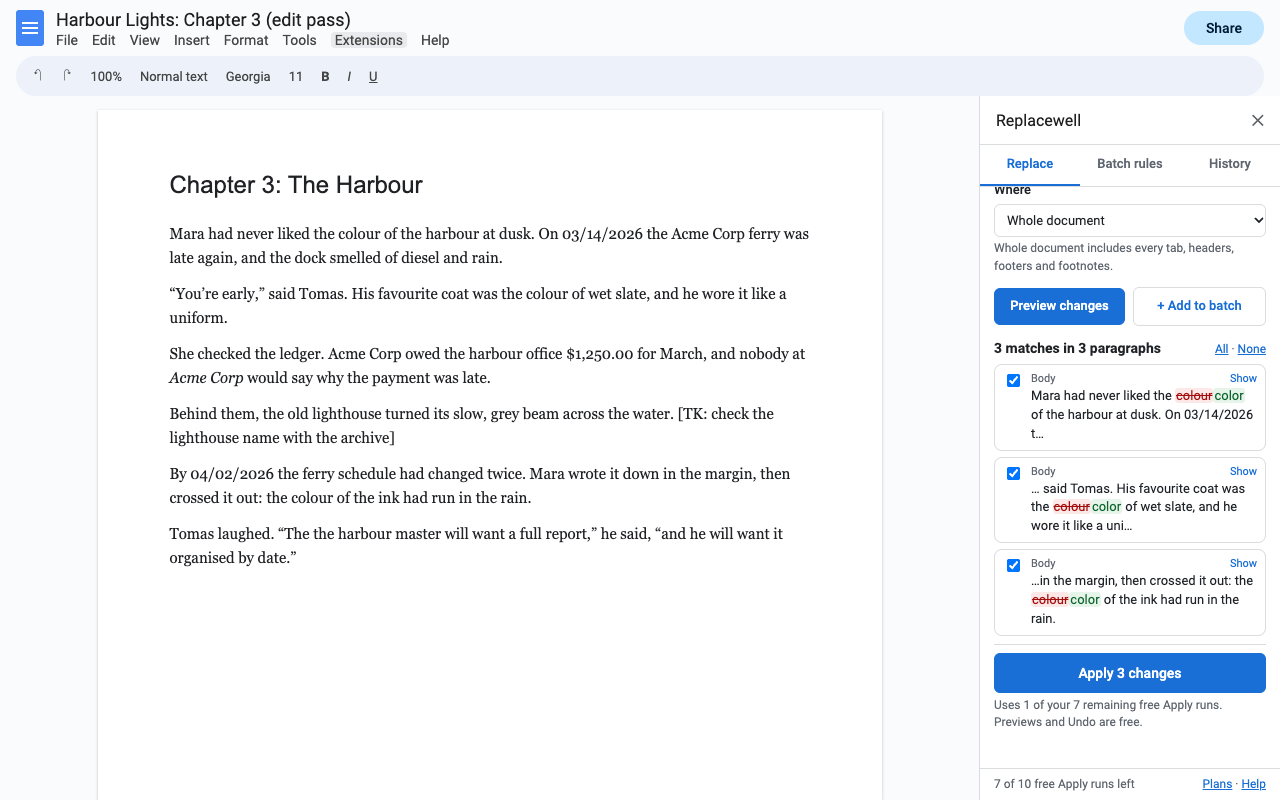
What it does
Each match is shown in its sentence: red is removed, green is added. Untick any you want to keep, or press Show to jump to it in the Doc.
Every Apply is saved in History with the Doc. Undo restores the text and its formatting, and skips paragraphs edited since, so newer work is never erased.
Bold every product name, highlight every date, recolor a term, remove links, make text superscript, or change case.
Limit a change to text that is bold, italic, underlined, linked, highlighted, a color, a font or a size. Or leave Find empty to catch every bold or italic phrase.
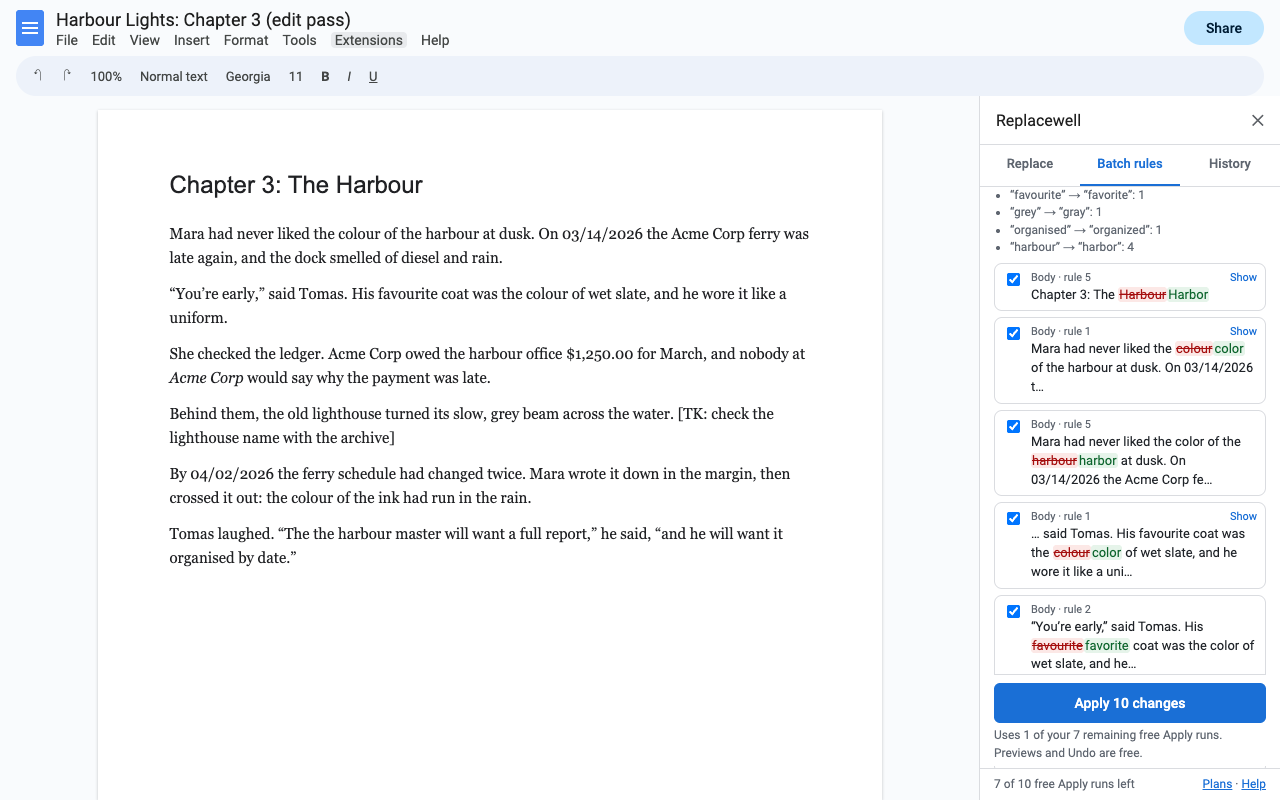
Paste two columns from a Sheet (old, new), or lines like colour => color. One preview, one Apply. Save the list and reuse it in any Doc.
Tick Regular expression and each piece of your pattern is explained as you type. 15 ready-made patterns for emails, phone numbers, dates, double spaces and more.
How to find and replace formatting in Google Docs
- Install Replacewell, open your Doc and choose Extensions > Replacewell > Find and replace.
- Type the word or phrase, then choose Only change formatting.
- Open Format the result and pick bold, a text color, a highlight, a font, a size or a link.
- Press Preview changes, check the list, then Apply. To change only text that is already formatted a certain way (say, only the bold ones), set that under Only matches formatted like.
How to replace many words at once in Google Docs
- Put your list in two columns in a Google Sheet or Excel: what to find, what to replace it with.
- Copy both columns, open Extensions > Replacewell > Batch rules and paste.
- Choose Whole words or Keep capitalization if you need them, press Add these rules, then Preview all rules.
- Apply. Save the list as a rule set to run it on the next chapter or the next contract.
Why a word "isn't found" when it's right there
Text pasted from email, PDFs or the web often has curly quotes, non-breaking spaces or non-breaking hyphens that look identical to the ones you type. Replacewell's Loose quotes, spaces option (on by default) treats them as the same character, so don't finds don’t and well-known finds a well‑known with a non-breaking hyphen.
Pricing
One Google account. Cancel any time.
One Google account. About $2.83 a month.
Lifetime license for one Google account. No renewals.
Free trial: 10 Apply runs or 14 days, whichever comes first. No card needed. One Apply counts once however many changes it makes. Previews, Undo, saved rule sets and regex help are always free.
Renewal: monthly and yearly plans renew automatically until you cancel in Extensions > Replacewell > Plans and billing (Manage billing). You keep access until the end of the period you paid for. The lifetime license is a single payment.
UK and EU customers: you can cancel within 14 days of your first purchase for a full refund, no reason needed. Email hello@greatwork.company.
There is no free-forever plan, and nothing is charged inside the add-on without you choosing a plan first. The price is shown in the sidebar before you apply anything.
Privacy and permissions
- Only the Doc you open it in. Replacewell uses Google's "current document only" permission. It can't see the rest of your Drive.
- Your text stays in Google. Matching and replacing run inside Google Apps Script under your account. No document text is sent to Great Work or anyone else.
- What it stores: Undo snapshots of the paragraphs a change touched, with the Doc (latest 8 changes; collaborators who use Replacewell on the same Doc see the same History). Your saved rule sets and last settings, in your Google account's private add-on storage.
- What reaches Great Work: your Google account email and how many times you pressed Apply during the trial. Payments go through Stripe.
Full policy: addons.greatwork.company/privacy. Terms: addons.greatwork.company/terms.
Questions
Can it change several Docs at once?
Not yet. Replacewell asks only for the Doc you open it in, which keeps the permission request small. Save your rules as a rule set and run it in each Doc in a few clicks.
Does it work with document tabs, headers, footers and footnotes?
Yes. Whole document covers every tab, plus headers, footers, footnotes and tables. You can also limit it to one tab or to selected text.
Can a match span two paragraphs?
No, matches stay inside one paragraph. Line breaks made with Shift+Enter can be matched and inserted with \n, tabs with \t.
Google keeps asking me to authorize it.
That happens when several Google accounts are signed in to the same browser. Open the Doc in a window where only one account is signed in, or a private window.