Play your Google Forms quiz live with the whole class
Buzzwell puts your form on the big screen one question at a time. Students answer on their phones, you see how the room answered as it happens, and every answer still lands in your Google Form.
Email us to get Buzzwell See pricing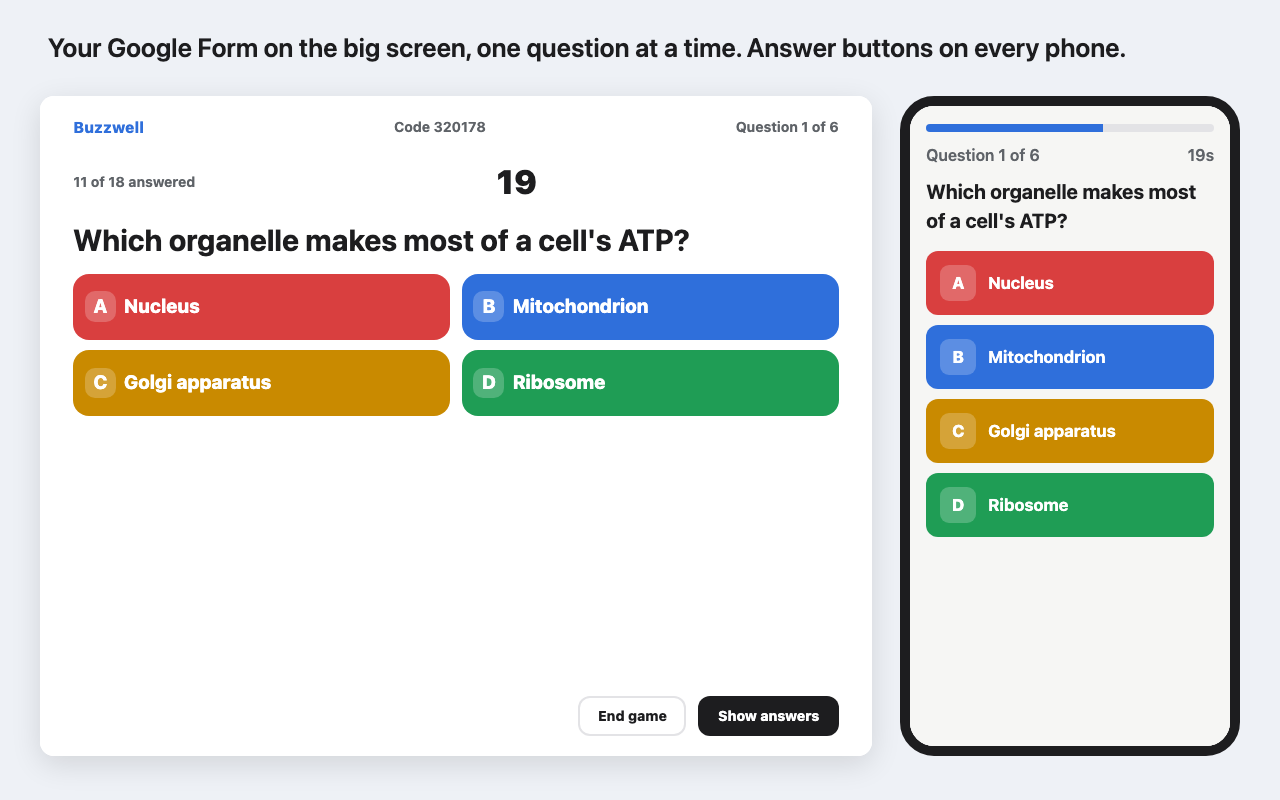
What it does
Students go to live.greatwork.company or scan the QR code, type the 6-digit code and a nickname. No accounts, no app.
A countdown on the big screen and answer buttons on every phone, with the question text right there.
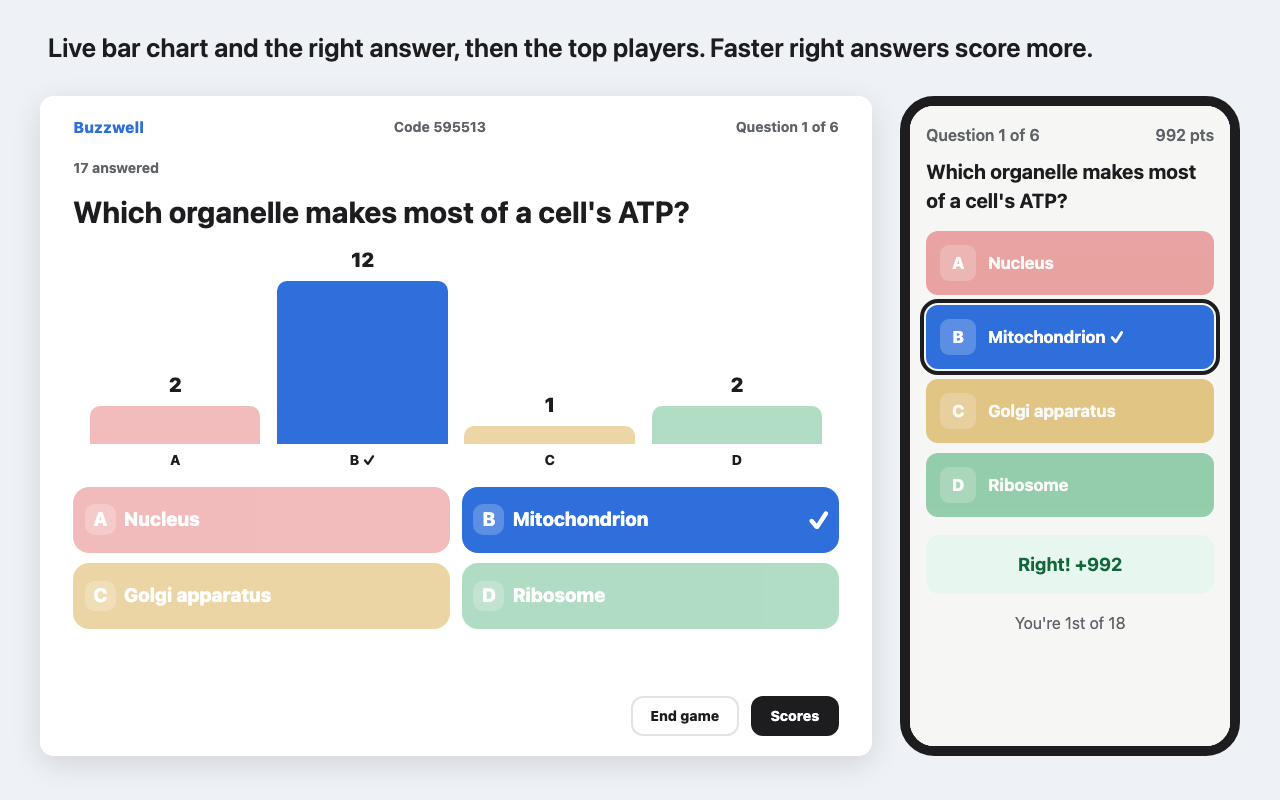
A bar chart of how the room answered, then the right answer. Short answers can show as a wall, names hidden.
Faster right answers earn more. Or use your form's point values, or turn scores off for a live poll.
Each player's answers, nickname and result are submitted to your form when the game ends. Google grades it as usual.
Lock joining, remove a player, end the game whenever you like. Phones that drop rejoin where they were.
How it works
- Open your form or quiz, then click the Add-ons (puzzle piece) icon > Buzzwell > Present live.
- Pick the time per question and scoring, then click Start live game and Open presenter screen. Put that tab on your projector or share it on your video call.
- When everyone has joined, click Start. Click Next to move on, or let the timer do it.
Multiple choice, checkboxes, dropdowns, linear scales and short answer questions play live. Your answer key decides what's right; questions without one play as polls. With "Save answers to this form" on, Buzzwell adds two questions at the end of your form ("Live quiz player" and "Live quiz result") and makes required questions optional while the game runs, so a player who missed a question can still be saved. They switch back when the game ends.
Compared with presenting a form the usual way
| Buzzwell | Typical form presenter add-on | |
|---|---|---|
| How players join | Code or QR code and a nickname | A link, often with sign-in and attempt limits |
| A player's phone drops | Rejoins where they were | Can end up stuck at "0 attempts remaining" |
| What the room sees | Countdown, live bar chart, right answer, top 5, podium | The form, with a timer |
| Where the answers go | Your form's own responses, graded by Google | Often a separate dashboard |
| Permissions | Only the form it's opened in | Often all your forms |
| Pricing | On this page, before you install | Often only after signing up |
Pricing
Teacher. $8 a month, billed yearly. Unlimited games, up to 300 players each.
Teacher, month to month. Cancel any time.
Whole school: every teacher on your school's Google Workspace domain. Or $30 a month.
Free trial: 5 live games or 14 days, whichever comes first. No card needed. A game counts when you click Start on the presenter screen. Checking your form, opening the lobby and ending a game are free. Players never pay or sign up. A game that has started always plays to the end and saves, even if the trial runs out mid-game.
Renewal: yearly and monthly plans renew automatically at the same price until you cancel. Cancel in one step from the Add-ons (puzzle piece) icon > Buzzwell > Plans and billing; you keep access until the end of the period you paid for.
UK and EU customers: you have 14 days from purchase to cancel for a full refund (your statutory right to cancel). Email hello@greatwork.company or cancel in Plans and billing.
Mistaken or double charges are refunded. Prices exclude any sales tax or VAT your location requires. School plans can't be bought from personal Gmail, Outlook or similar addresses.
Questions
Does Google Forms have a presenter or live quiz mode?
No. Forms shows each respondent the whole form on their own screen, and results only appear in the Responses tab. Buzzwell adds the live part: one question at a time for the whole room, with a countdown and live results.
Which forms work?
Any form for playing live. To save answers back to the form, it can't require Google sign-in (verified email collection, a school-only restriction, a file upload question or "Limit to 1 response"). If your form collects emails with "Responder input", Buzzwell asks players for their email and passes it on. Grids, dates and times are skipped live.
How many players can join?
Up to 300 per game.
Does it work for remote classes and meetings?
Yes. Share the presenter tab on your video call; players join from their phones or another browser tab.
What does it need permission for?
To read and change the form it's opened in, run once later to switch your required questions back on (in case you closed the sidebar before the game ended), show its sidebar, talk to the Buzzwell service and our licensing server, and know your Google account email. It can't see your other forms, your Drive, your email or your Sheets.
Privacy
Players type a nickname. Their answers are kept only for the game: Buzzwell deletes the game, nicknames and answers 30 minutes after it ends (or when you close it from the sidebar), and after saving them to your form if you chose that. We don't store IP addresses, use analytics or ad trackers, or ask players for accounts, camera or microphone. Buzzwell's use and transfer of information received from Google APIs adheres to the Google API Services User Data Policy, including the Limited Use requirements. Full details: Buzzwell privacy · Terms.