The slide chores Google Slides makes you do one slide at a time
Deckwrench changes every font and color in a deck at once, lines up every image, sends slides into many decks, and exports each slide as an image or PDF. You see a preview before anything changes, and Undo is always free.
Email us to get Deckwrench See pricing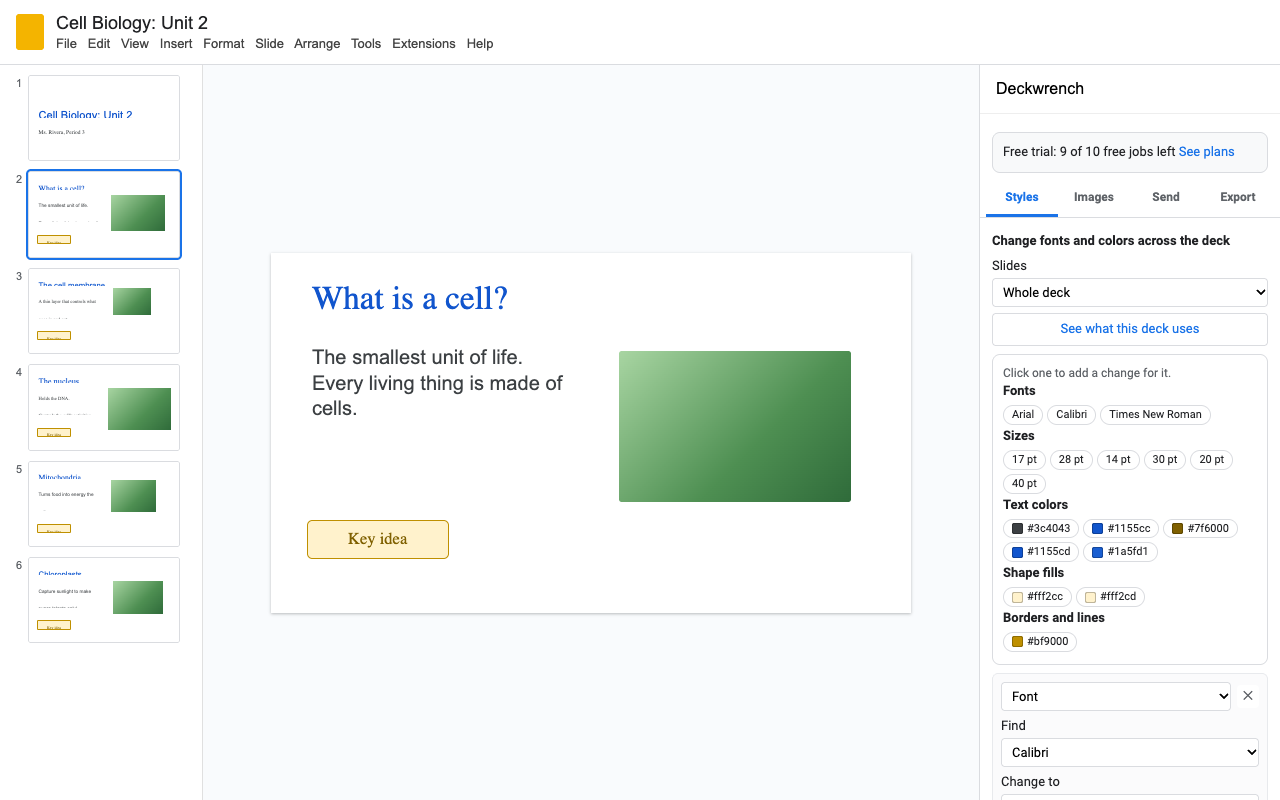
Change fonts and colors on all slides
Every font, size and color in the deck, with how often and on how many slides. Click one to replace it.
Arial to Lato, 24 pt to 28 pt, one blue to another, shape fills, borders and lines. Several changes in one go, never chained into each other.
Decks collect five slightly different blues. Tick "close shades" and they all become the right one.
See how many things change on which slides first. Undo puts back every font and color, theme colors included.
Resize and line up every image
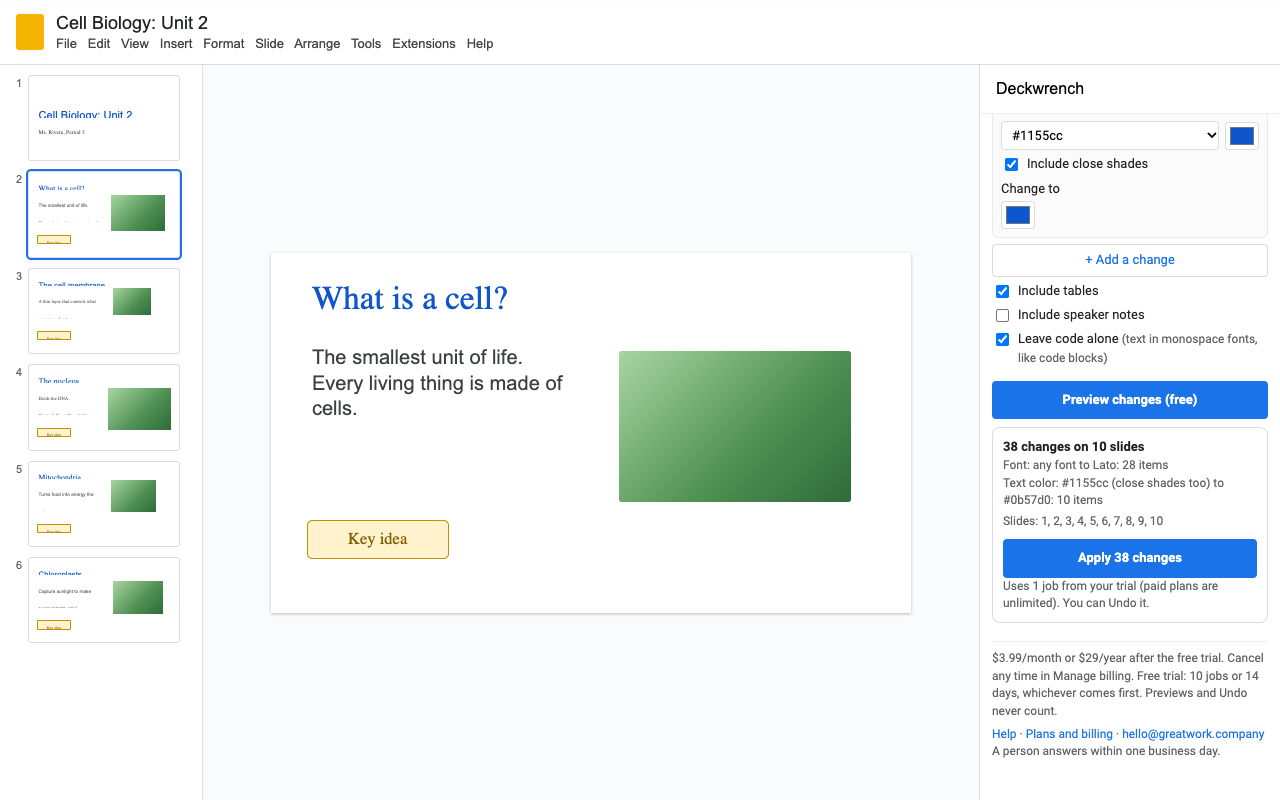
Give every picture the same width or height, fit them inside a box, or match the one you selected, then center or align them with a margin. Pictures keep their shape. Background pictures and rotated pictures are skipped, and the preview says how many.
Send slides into many decks at once
Select slides, choose the decks (each student's copy of a digital notebook, each team's deck) and Deckwrench puts copies into all of them.
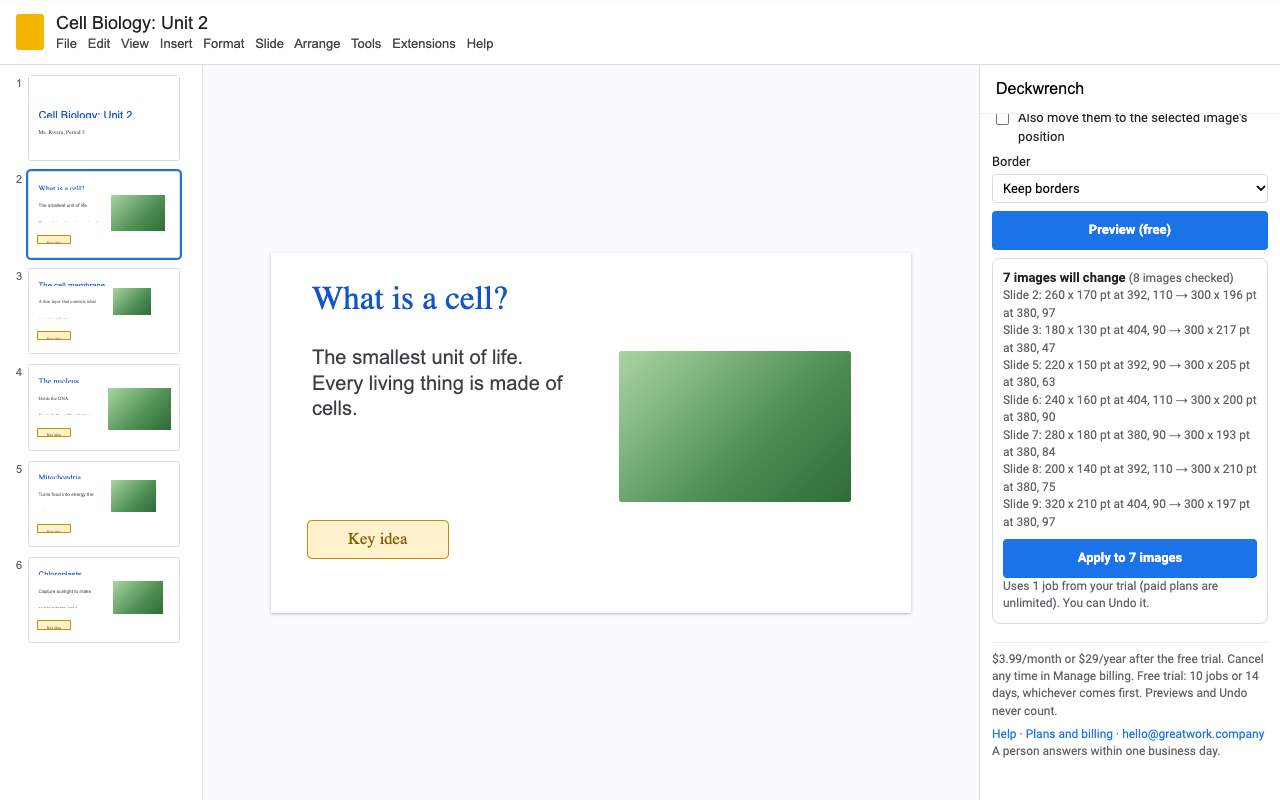
- Preview per deck: how many slides go in, which earlier copies they replace, and anything that can't be copied.
- Checked after sending: every deck is read back; a check mark means the slides are really there.
- Fast: one job sends to up to 200 decks, five at a time. Saved lists ("Period 3") make the next send two clicks.
- Send again to replace the earlier copy with the new version, leave it, or add another.
- Faithful copies: text and bullets, shapes, pictures, tables, lines, YouTube videos, groups, backgrounds and speaker notes. Decks with a different template or page size keep the look.
- No ownership rule: send from any deck you can open, into any deck you can edit.
Export Google Slides as images or PDFs
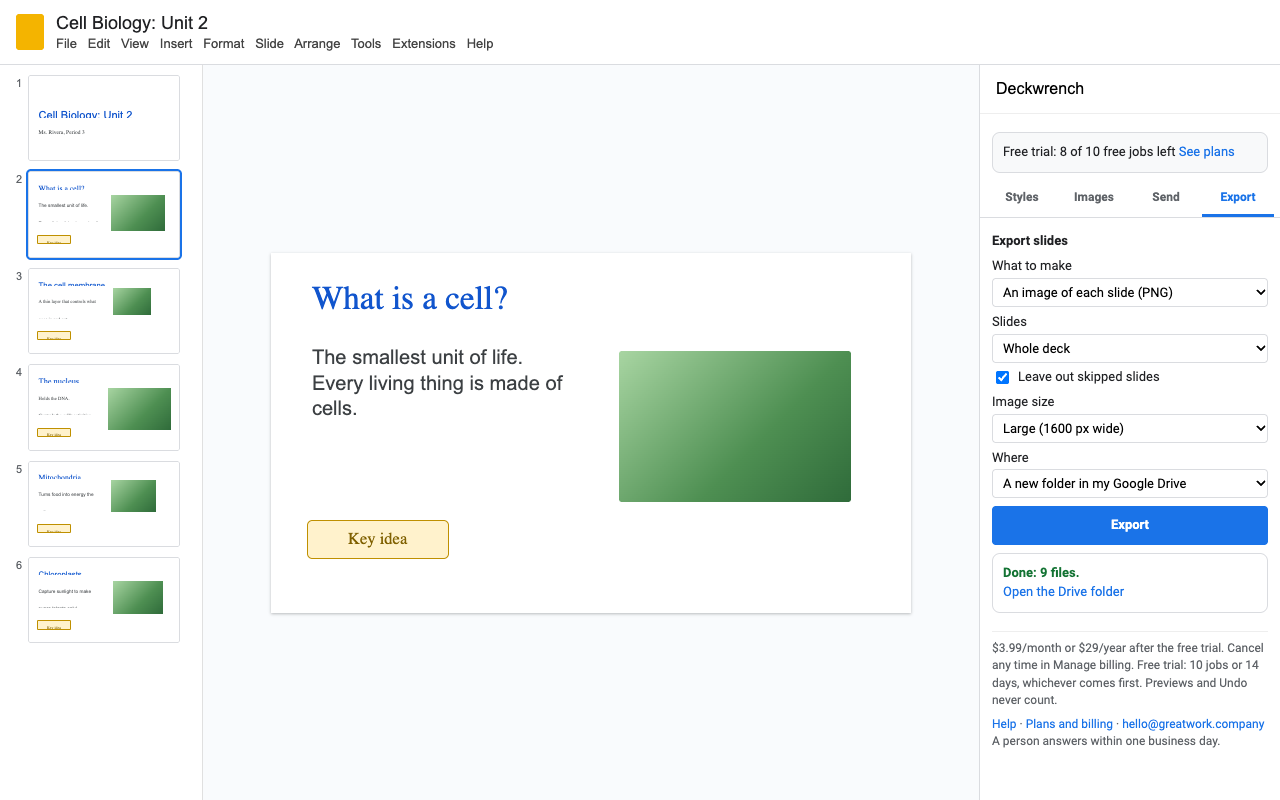
A PNG or JPEG of each slide (1600, 800 or 200 pixels wide), one PDF of the whole deck or just some slides, a PDF of each slide, or every speaker note in a Google Doc. Files go into a new folder in your Drive, or download as a .zip. Skipped slides can be left out.
How to use it
- Install Deckwrench, open a presentation and choose Extensions > Deckwrench > Open Deckwrench.
- Styles: click See what this deck uses, click a font or color, type what it should become, then Preview and Apply.
- Send: select slides in the slide list, click Choose decks, then Preview and Send. The first time, Google asks you to select the open deck once.
- Export: pick what to make and where, then Export.
Pricing
Every feature, one Google account.
Same features, billed monthly.
Team plan: every account at your school's or company's Google Workspace domain.
10 jobs or 14 days, whichever comes first. No card needed. A job is one Apply, one Send (to any number of decks) or one Export.
No surprise charges. We never charge you unless you start a checkout yourself. The sidebar shows your trial status and these prices from the first minute. Previews, Undo and saved deck lists never count against the trial. When the trial ends, Deckwrench shows the plans; nothing is charged and your slides stay as they are.
Renewal. Monthly, annual and team plans renew automatically at the same price until you cancel. Cancel any time from Extensions > Deckwrench > Plans and billing, in one step. You keep access until the end of the period you paid for.
Right to cancel (UK and EU). If you are a consumer in the UK or EU, you can cancel within 14 days of buying and get a full refund. Email hello@greatwork.company or cancel in Plans and billing and reply to the receipt.
Mistakes. Charged twice or by accident? Email us and we'll refund it.
Prices are in US dollars and exclude any sales tax or VAT that applies where you live. Payments are processed by Stripe; we never see your card number. Schools and companies that need a quote or invoice: email us.
Why switch
| What people say about other slide tools | What Deckwrench does |
|---|---|
| The free version works on one slide at a time | The trial is the full product: every tool works on the whole deck. |
| "Each class takes more than 10 minutes" | One job sends to up to 200 decks, five at a time in parallel. |
| "2 out of the 5 classes ... didn't receive the slides" | Every deck is read back after sending, and the list says which are checked. |
| "You must be the owner of the source presentation" | Any deck you can open works as the source. |
| Asks to see and edit all your presentations | Opens only the deck you use it in and decks you pick in Google's file picker. |
Help
What can't be copied when sending?
Drive videos and word art are left out, and linked Sheets charts arrive as pictures. The preview lists anything like this before you send.
Does Undo bring back slides a send replaced?
Undo removes the slides the last send added. Earlier copies it replaced stay replaced, so choose "Leave it" or "Add another copy" if you want to keep them.
Why does Google ask me to select the deck I already have open?
Sending and exporting use Google's file-level permission: Deckwrench can only open files you pick. Selecting the open deck once gives it that permission for this deck only.
Still stuck?
Email hello@greatwork.company. A person replies within one business day.
Privacy
- Google data it accesses: the presentation you open Deckwrench in, the decks you pick in Google's file picker, and the files Deckwrench creates for you (exports). It can't browse or search your Drive.
- What reaches Great Work: your Google account email, the product id and a count of trial uses, for billing. Never any slide content. Slides are processed inside Google and your browser.
- Sharing: we don't sell data, use it for ads, or use it to train AI models.
- Deckwrench's use and transfer of information received from Google APIs adheres to the Google API Services User Data Policy, including the Limited Use requirements. Full privacy policy.