Send certificates from Google Forms and Sheets
Laurelsend turns quiz results or a list of names into PDF certificates made from your own Google Slides design, emails them, and gives each one an ID, a verify link and a QR code anyone can check.
Email us to get Laurelsend See pricing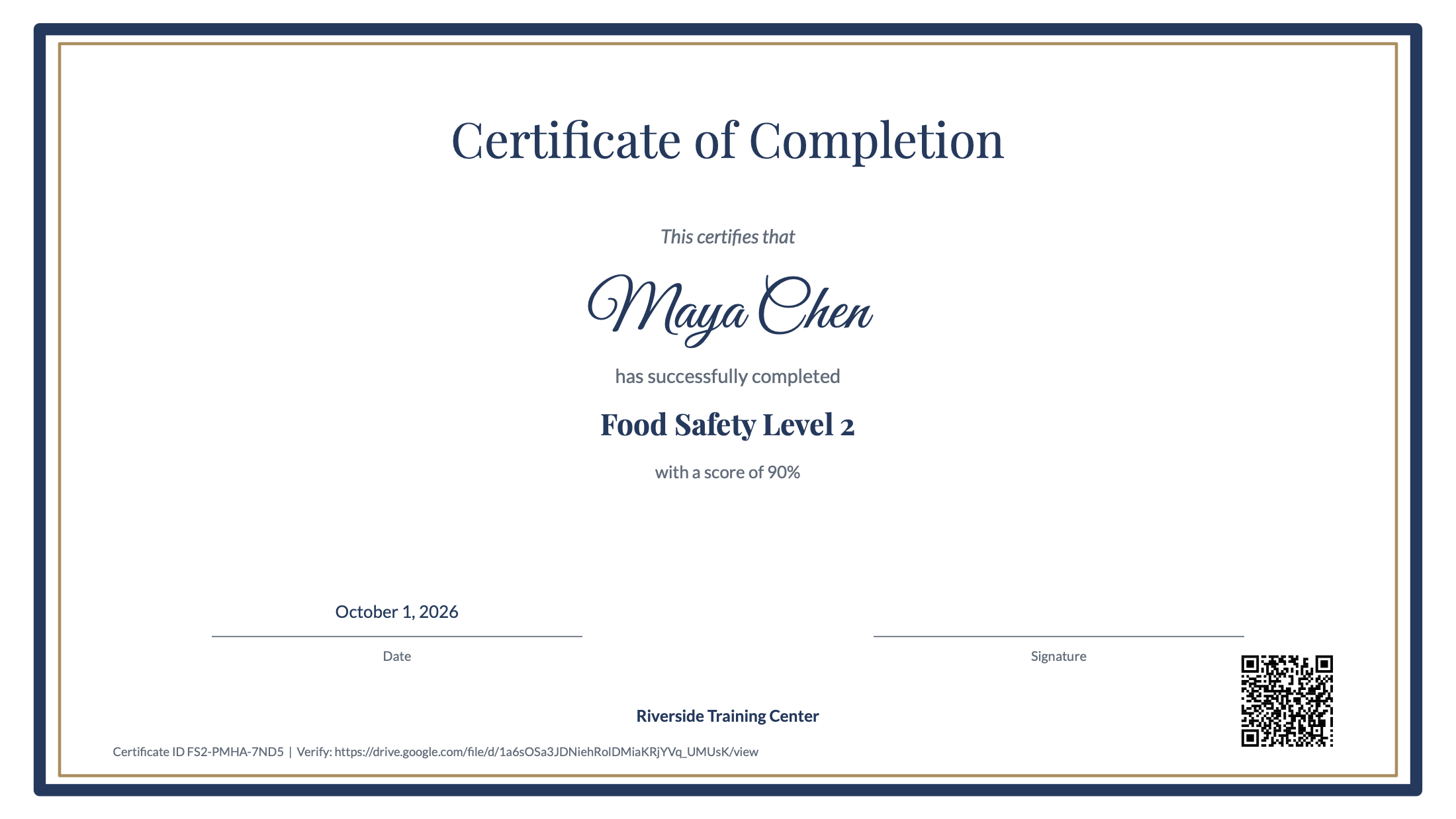
What it does
Use any Google Slides or PowerPoint file, or start from three ready-made designs. Put {{Full Name}} or any column name where it goes. Fonts and images are kept exactly.
Reads the Score column Google Forms quizzes add, like 8 / 10. Set 80% or 16 points; only people who pass get a certificate, and the sheet says why the others didn't.
Retakes after someone has passed don't create a second certificate. Running again never sends duplicates.
Every certificate has a unique ID and a link (also as a QR code) that opens the original PDF in your Drive. Revoke one and its link stops working.
Turn on Automatic mode and each new passing form response gets its certificate within about a minute. Turn it off with one click.
Sent from your own account with your sender name. You see every recipient and the exact message before anything goes out.
How it works
- Link your Google Form to a spreadsheet (in the form: Responses > Link to Sheets), or type names into a sheet.
- Open Extensions > Laurelsend. Start from a design or pick your Slides file.
- Set a pass mark if it's a quiz. Make a free watermarked test certificate to check the layout.
- Press Check and preview, then Issue certificates. Each row gets a status, a certificate ID and a PDF link.
- Optional: tick Automatic mode for new responses, and Email to send each person their PDF.
Want to see it first? Extensions > Laurelsend > Try it with sample data adds a sample quiz tab and a ready-made template.
Fewer permissions
Laurelsend opens only the template and folder you choose and the files it creates (Google's drive.file permission). It never sees the rest of your Drive, your Gmail inbox or your forms.
| Laurelsend | Typical certificate add-on | |
|---|---|---|
| Your presentations | Only the template you pick | See, edit, create and delete all of them |
| Your spreadsheets | Only the one it's opened in | All of them |
| Your forms | No access needed | Often all of them |
| Sends only what you confirm; can't read mail | Often full Gmail send access |
Pricing
50 certificates or 14 days, whichever comes first. No card needed. The sidebar shows how many you have left from the first minute.
Unlimited certificates for one Google account. About $10.83 a month.
Same features, month to month. For a one-off event, subscribe and cancel after.
Team plan: everyone at your school or company Google Workspace domain. Not available for gmail.com and other public email domains.
Nothing is charged unless you subscribe. Free test certificates, previews and rows that don't pass never use trial certificates.
Renewal. Plans renew automatically at the same price until you cancel. Cancel any time from Plans and billing in the add-on, in one step. You keep access until the end of the period you paid for. Certificates you already issued keep working after you cancel.
Right to cancel (UK and EU). If you're a consumer in the UK or EU, you can cancel within 14 days of buying and get a full refund. Email hello@greatwork.company or cancel in Plans and billing and reply to the receipt.
Prices are in US dollars and exclude any sales tax that applies.
Privacy
- What it reads: the rows of the tab you choose, and in Drive only the template, folder and files Laurelsend creates.
- Link sharing: each issued PDF is "anyone with the link can view" by default, so the verify link and QR code work. You can turn this off per tab, and Revoke removes it.
- What reaches Great Work: your Google account email, the product and a count of trial certificates, for billing. No names, scores, email addresses or certificate contents.
- We don't sell data, use it for ads, or use it to train AI models. Laurelsend's use of information received from Google APIs adheres to the Google API Services User Data Policy, including the Limited Use requirements.
- Full policy: addons.greatwork.company/privacy. Terms: addons.greatwork.company/terms.
Support
Email hello@greatwork.company. A person replies within one business day.