A word cloud from your own text, right in your file
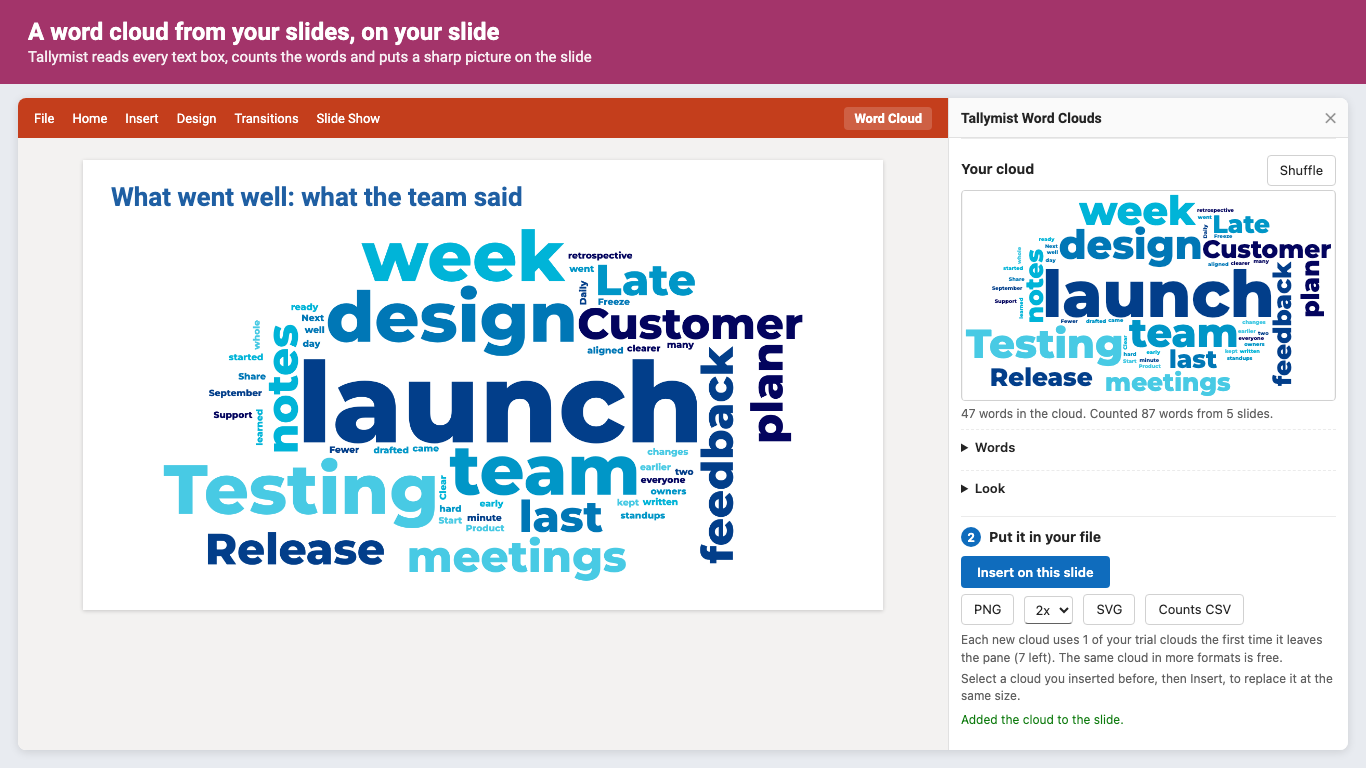
Tallymist Word Clouds is an add-in for Word, PowerPoint and Excel on the web, Windows and Mac. Pick the text (a document, your slides, a column of survey answers) and the words people used most show up biggest. Then put the cloud on your slide, page or sheet as a sharp picture. Good for the slide that answers "so what did everyone say?"
Get started
- Install Tallymist Word Clouds from Microsoft AppSource (in Word, PowerPoint or Excel: Home, Add-ins, search "Tallymist").
- Click Word Cloud on the Home tab, then Try it on sample survey answers to see a cloud right away. The sample needs no account.
- Pick your own text and click Make the word cloud. Click any word to hide it; change the shape, font and colors under Look.
- Click Insert to put it in your file. Sign in with your Microsoft account to start the trial: 10 clouds or 14 days, no card needed.
What it does
Reads your text where it is
A Word document or the selection, every slide or the selected slides, a column of Excel cells, pasted text, or a .txt, .csv, .xlsx or .docx file.
Survey answers, done right
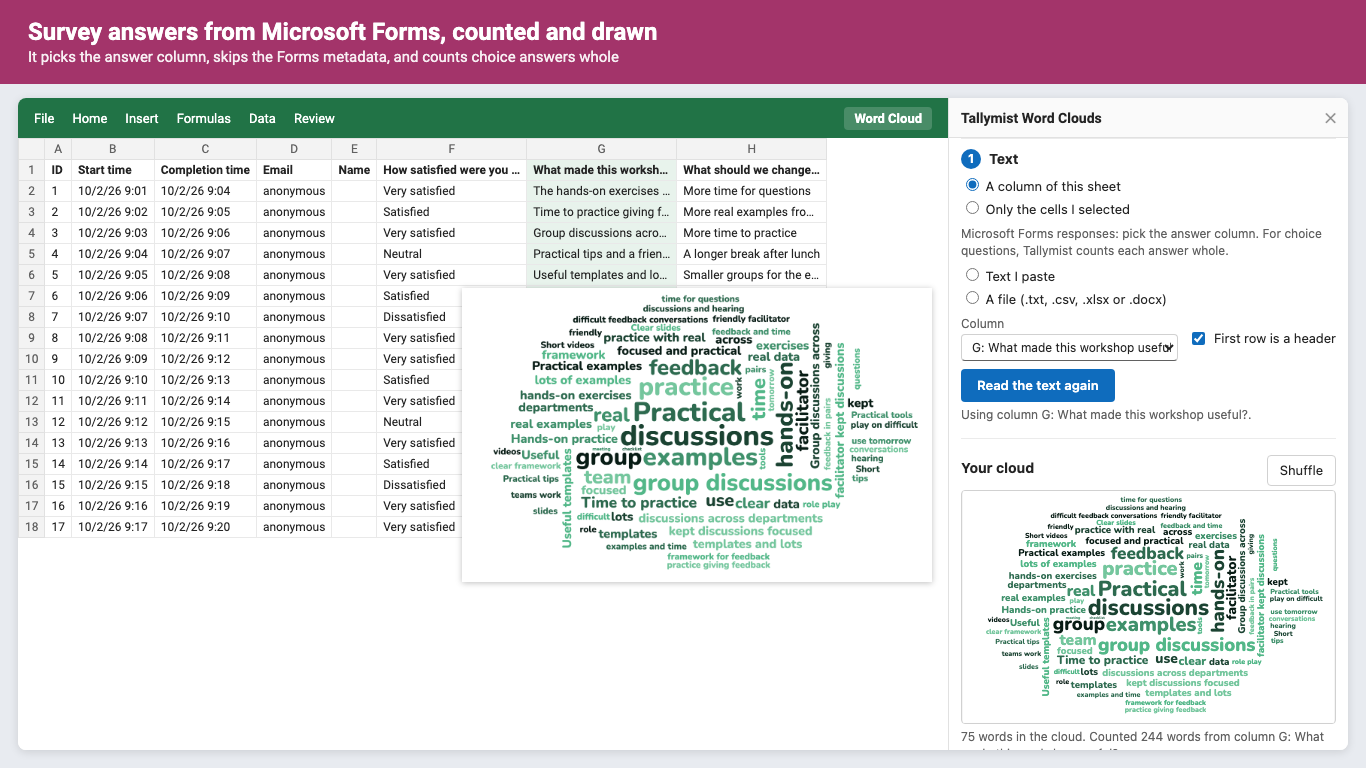
Open a Microsoft Forms response sheet and Tallymist picks the answer column. Choice questions count whole, so "Very satisfied" stays one entry.
You see what's hidden
Filler words are hidden in 7 languages, and every one of them is listed with its count. Click one to keep it. Click any word in the cloud to hide it.
Phrases stay together
List your own ("customer service", plurals included), count 2 and 3 word phrases, or count whole answers.
Looks like your deck
5 shapes, slide-sized or square, 14 fonts, 12 palettes or your own hex colors, any background including transparent.
Sharp, and easy to redo
Inserted at high resolution with alt text. Select a cloud later and insert again to replace it at the same size. Or download PNG, SVG or the counts.
Pricing
Personal. Every feature, unlimited clouds, Word, PowerPoint and Excel. Or $79/year.
Teams. Microsoft 365 work or school accounts buy seats for colleagues in their organization. Or $79/year per person.
Personal $8.99/month or $79/year; teams $8.99/month or $79/year per person. Trial: 10 clouds or 14 days, whichever comes first. No card needed. A cloud counts once, the first time it leaves the pane (inserted, downloaded or added as counts), however many formats you export it to; making and restyling clouds in the pane doesn't count, and neither does the sample. Prices in US dollars; billing by Great Work LLC through Stripe. Cancel any time in Manage billing. First purchases can be refunded within 14 days.
Questions
Which versions of Office does it work with?
Word, PowerPoint and Excel on the web (Edge, Chrome, Firefox, Safari), and on Windows and Mac (Microsoft 365, 2016 and later). On an older build that can't take a picture from an add-in, the pane says so and you can download the PNG instead. Not on iPad, iPhone or Android.
Does my text go to your server?
No. Your text is counted and the cloud is drawn inside the add-in on your computer. See the privacy policy.
Can I use the clouds commercially?
Yes. The clouds you make are yours, and the fonts are open-source fonts you can use in anything you make.
Which languages does it hide filler words in?
English, Spanish, French, German, Portuguese, Italian and Dutch. Counting works for any language written with spaces between words.
The download didn't start in the desktop app
Use Insert instead, or open the same file in Office on the web and download there.
How do I cancel or manage billing?
In the Tallymist pane, open the account section and click Manage billing. Bought a license key? Use addons.greatwork.company/billing.
Support
Email hello@greatwork.company. A person replies within one business day. Full help: Tallymist help.