Mail merge in Outlook, with a different attachment for each person
Stamplark Mail Merge is an add-in for Outlook on the web, the new Outlook, and Outlook on Windows and Mac. Write one email, add your spreadsheet, and every row gets its own personal copy from your mailbox, with its own invoice, contract or certificate attached. Send now, or schedule it and close Outlook.
Get started
- Install Stamplark Mail Merge from Microsoft AppSource (in Outlook: Apps or Get Add-ins, search "Stamplark").
- Start a new email. Write it like any other, and put
{{Column name}}where each person's details go:Hi {{First name|there}}, your invoice {{Invoice}} is attached. - Click Mail merge on the ribbon (or under Apps). Open a CSV or Excel file, or paste the cells from your spreadsheet.
- Check the preview, send yourself a test, then send. Sign in with your Microsoft account to start the trial: 50 emails or 14 days, no card needed.
What it does
Personal, not bulk
Every recipient gets their own email from your own address, with their name, numbers and dates in it. Nobody sees anyone else.
Their own attachment
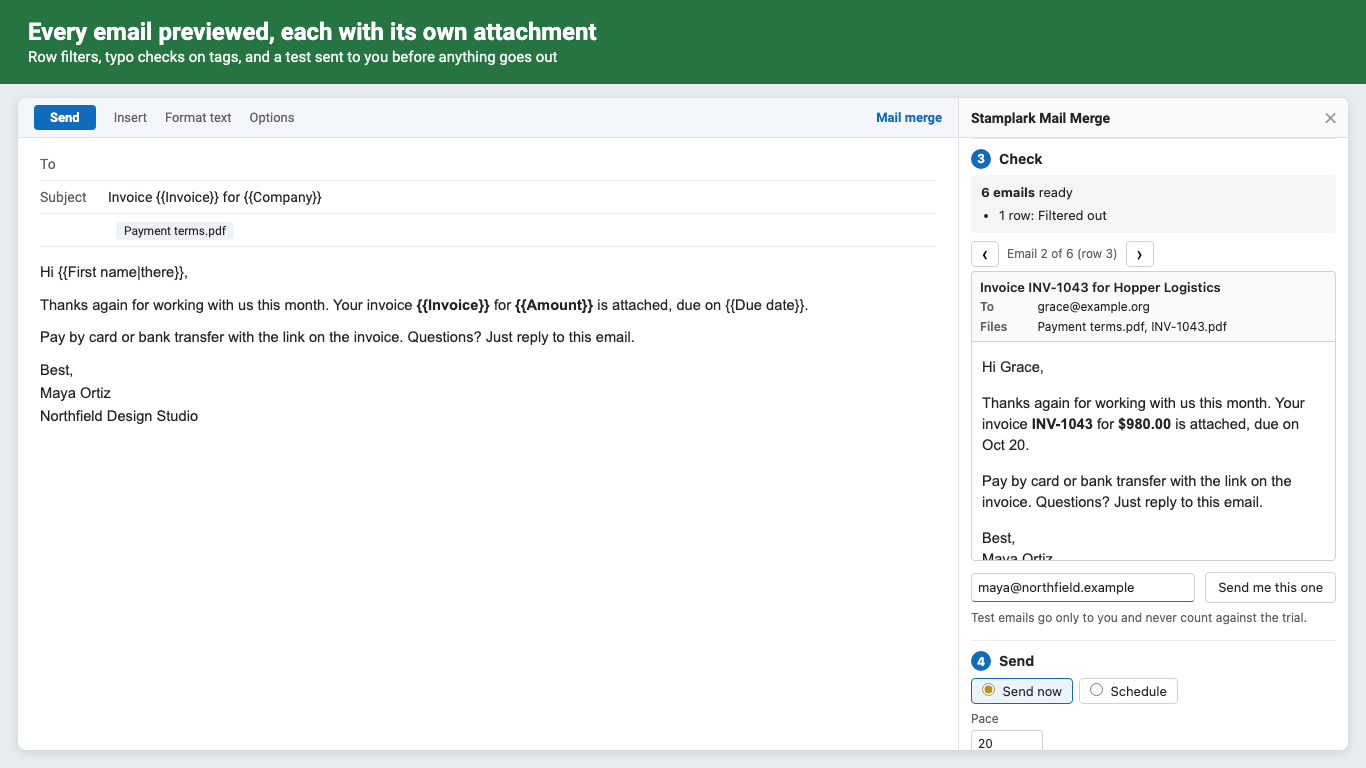
Name each row's file in a column, pick the files once, and each email carries the right one. A missing file holds that row back instead of sending without it.
Schedule it
Pick a start time, sending hours, weekdays only and a daily cap. Microsoft 365 sends each email on time, even with Outlook closed.
Checked before it goes
Tag typos are flagged with the closest column, every email can be previewed, and a test goes to you first.
Filters and duplicates
Only rows where Status is Due, or rows 2 to 50. Someone on several rows gets one email, one per row, or one email with a table of their rows.
Resume and report
Stop any time; sending again skips rows that already went out. Copy a report of every row back into your spreadsheet.
Pricing
Every feature, unlimited campaigns, on every computer you sign in on.
Same thing, month to month. Cancel any time in Manage billing.
A Microsoft 365 work or school account can buy seats for colleagues in its organization, or buy a license key with several seats.
Trial: 50 emails or 14 days, whichever comes first. No card needed. 1 email sent = 1 trial use; tests to yourself and skipped rows don't count. No footer or branding is ever added to your emails. Prices in US dollars; billing by Great Work LLC through Stripe. First purchases can be refunded within 14 days.
Questions
Which versions of Outlook does it work with?
Outlook on the web (Edge, Chrome, Firefox, Safari), the new Outlook for Windows, and Microsoft 365 Outlook on Windows and Mac (also Outlook 2021 and 2024). It needs an Exchange Online mailbox: a Microsoft 365 work or school account, or an Outlook.com account. Not on iPad, iPhone or Android.
How many emails can I send?
Stamplark adds no limit of its own. Microsoft 365 allows up to 30 emails a minute and 10,000 recipients a day per mailbox by default, and your organization may set less. Stamplark paces itself and warns you before a day would go over.
Why does Microsoft ask me to allow sending?
Stamplark sends from your own mailbox, so the first time you send, Microsoft asks you to allow it to send email as you (Mail.Send). That's the only permission it asks for: it can't read your mailbox. Some organizations require an admin to approve add-ins that send mail; your IT admin can approve Stamplark once for everyone.
How big can attachments be?
Up to 3 MB per email in total. For bigger files, put a sharing link in the email.
Does my spreadsheet go to your server?
No. It's read inside Outlook on your computer, and the emails go straight to Microsoft 365. See the privacy policy.
How do I cancel or manage billing?
In the Stamplark pane, open the account section and click Manage billing. Bought a license key? Use addons.greatwork.company/billing.
Support
Email hello@greatwork.company. A person replies within one business day. Full help: Stamplark help.