 Unpackwell
Unzip ZIP, RAR and 7z files right inside Google Drive
Google Drive can show you what's in a ZIP, but it can't unpack it into a folder. Right-click the archive, Open with Unpackwell, look inside, and extract everything (or just what you tick) into a new folder next to it. It works the other way too: zip Drive files and folders into one file to share.
Email us to get Unpackwell Pricing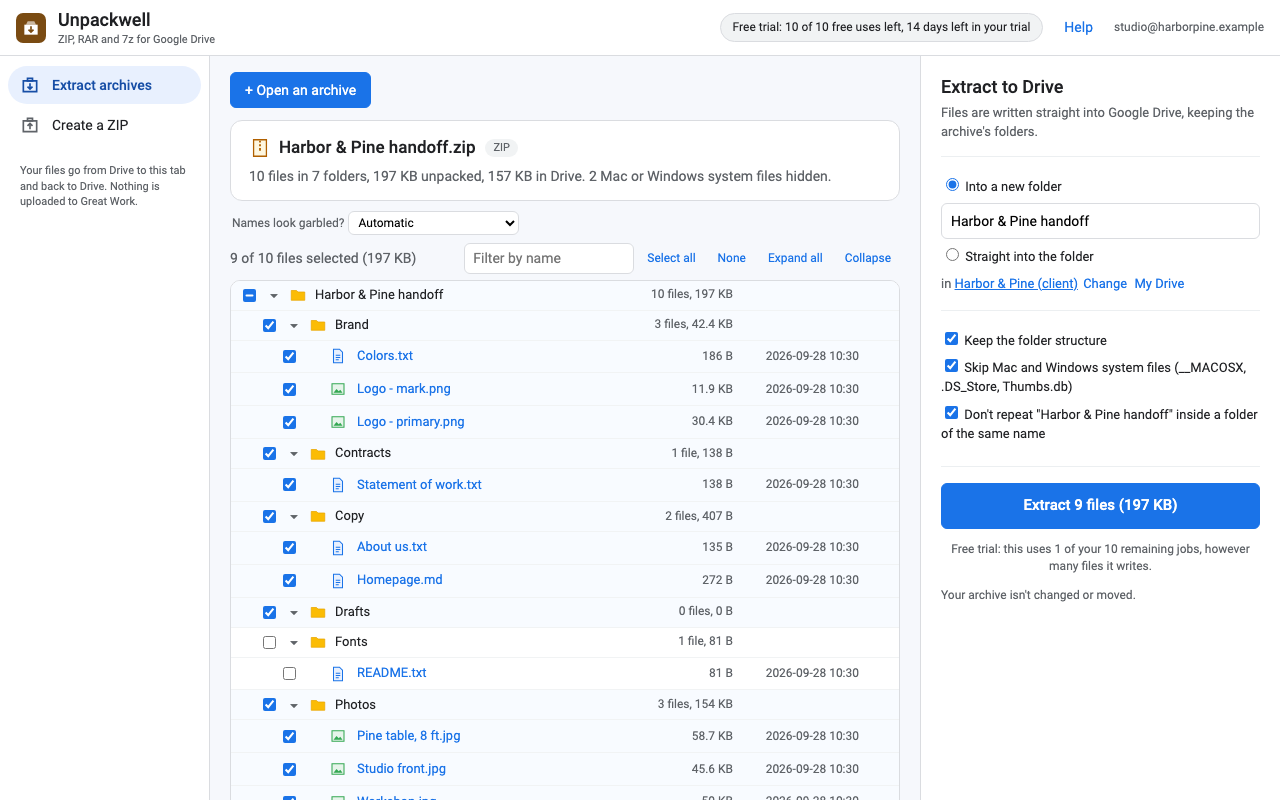
What it does
Look inside first
Every file with its size, date and folder, before anything is written. Filter by name, tick whole folders or single files.
Preview
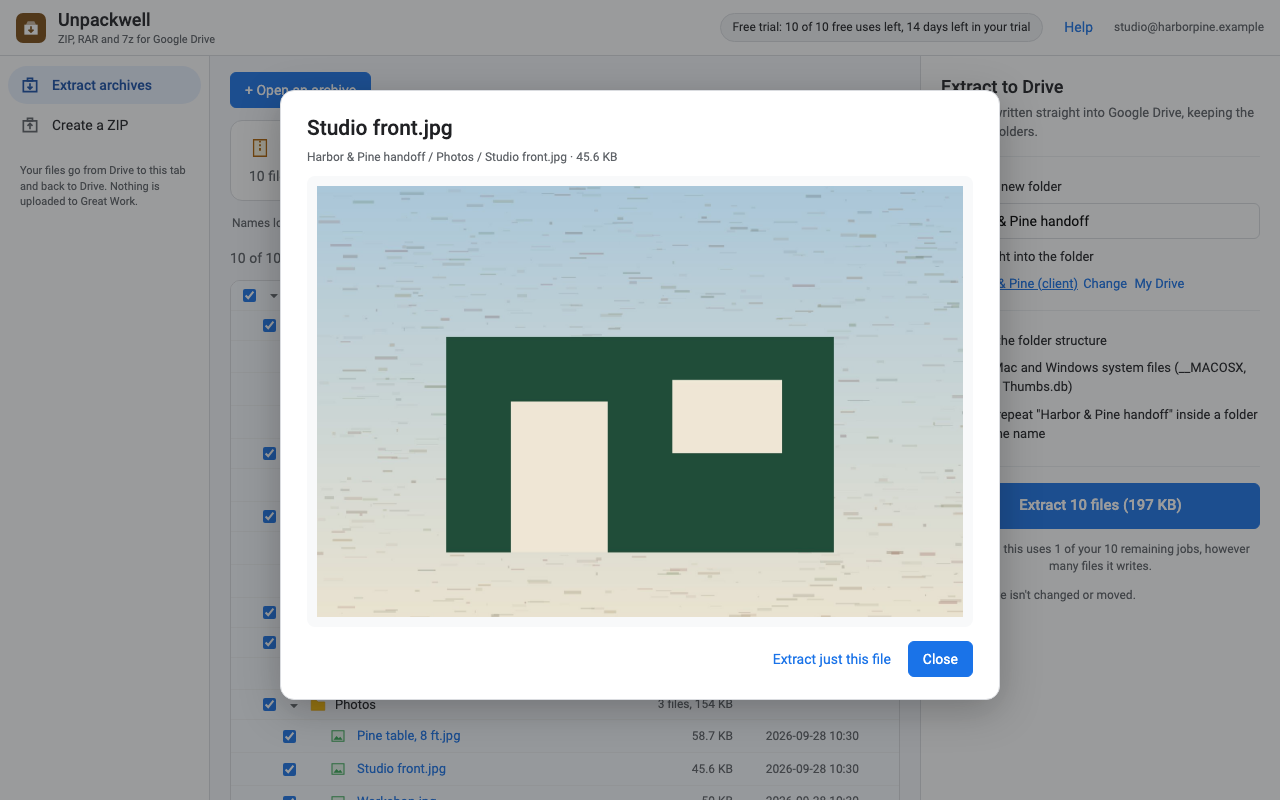
Open text files and images straight from the archive to check you have the right one.
Extract into Drive
Into a new folder next to the archive (or any folder you pick), with the archive's own folders recreated. Mac clutter like __MACOSX is skipped.
Password-protected ZIPs
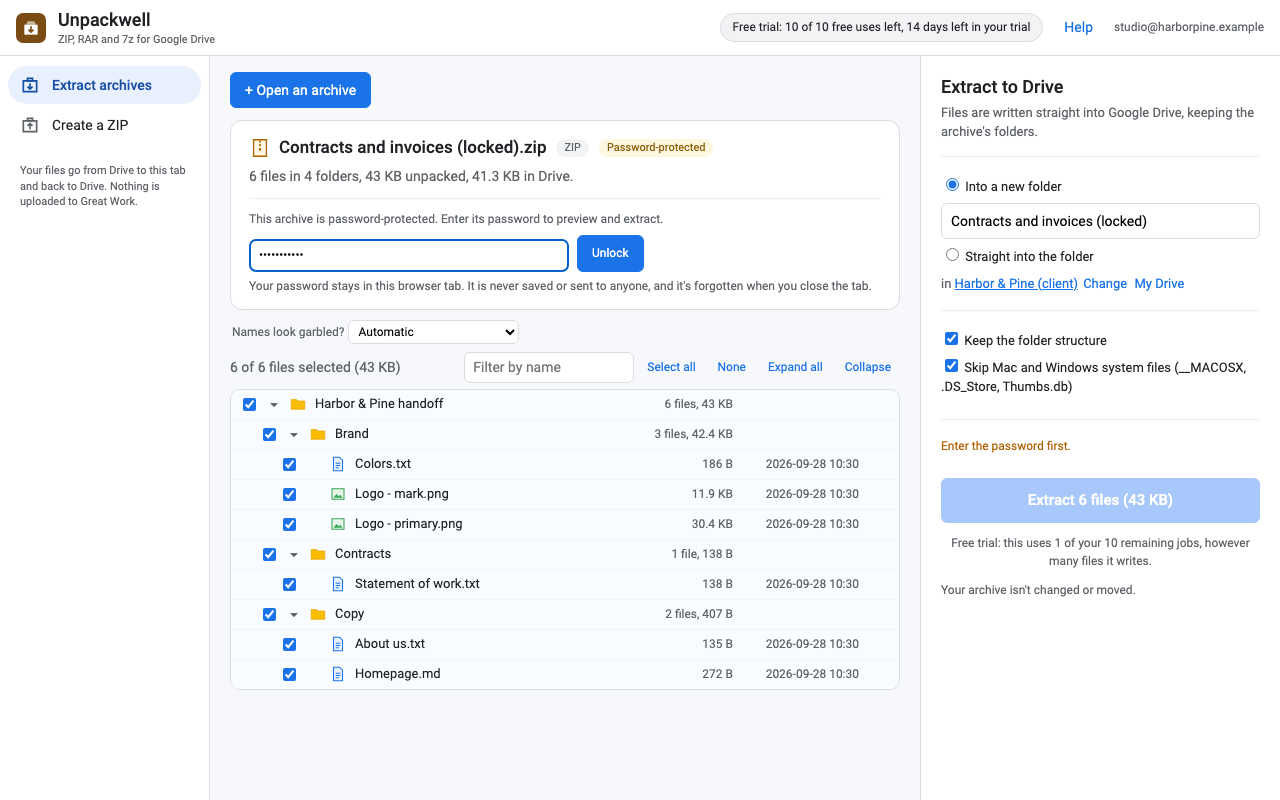
AES and ZipCrypto. You type the password; it stays in your browser tab and is never saved or sent anywhere.
RAR, 7z and more
ZIP, RAR 4 and 5, 7z, TAR, TAR.GZ, GZ, BZ2, XZ, ISO and CAB.
Create a ZIP
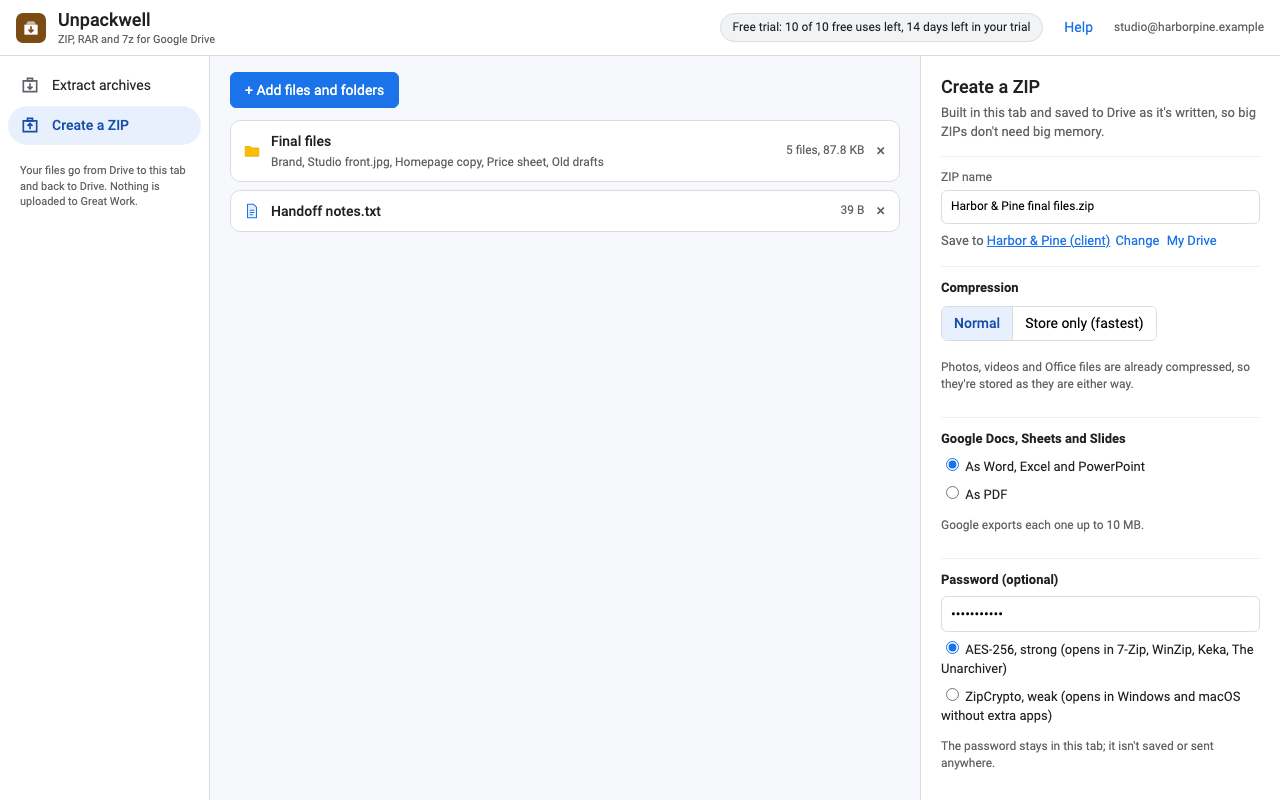
Pick Drive files and whole folders, shared drives included. Google Docs, Sheets and Slides go in as Word, Excel and PowerPoint, or PDF. Optional AES-256 password.
Your files stay in your Drive
Most unzip apps either upload your archive to their server or send you to an ad-covered website. Unpackwell does the work inside your browser tab: the archive goes from Google Drive to your browser and the files go straight back to Google Drive, with your own Google sign-in. Nothing is uploaded to Great Work or anyone else.
- Unpackwell can only open files you choose (Google's per-file "drive.file" permission), never your whole Drive.
- Your archive is never changed or moved. Extracted files are new files in a new folder.
- Names inside an archive that try to escape the folder ("../../file") or use unsafe characters are cleaned up and flagged, so nothing lands anywhere you didn't choose.
- Our licensing server only sees your Google account email and how many jobs you've run.
Big archives, honestly
| Format | How it's read | Size limit |
|---|---|---|
| ZIP | Straight from Drive in pieces: opening a 5 GB ZIP reads its table of contents, and extracting one file downloads just that file. | None from Unpackwell |
| TAR, TAR.GZ, GZ | Streamed from Drive, front to back. | None from Unpackwell |
| RAR, 7z, ISO, CAB, BZ2, XZ | Unpacked in the tab's memory with libarchive (WebAssembly). | 1 GB per archive |
Big extracted files are written to Drive 8 MB at a time, so a 4 GB video inside a ZIP doesn't need 4 GB of memory. ZIPs you create are written to Drive the same way while they're being built.
How it works
- Install Unpackwell from the Google Workspace Marketplace.
- In Google Drive, right-click a ZIP, RAR or 7z file, then Open with > Unpackwell. Or open Unpackwell and click Open an archive.
- Tick what you want and click Extract. To go the other way, choose Create a ZIP, add files and folders, and click Create ZIP.
Pricing
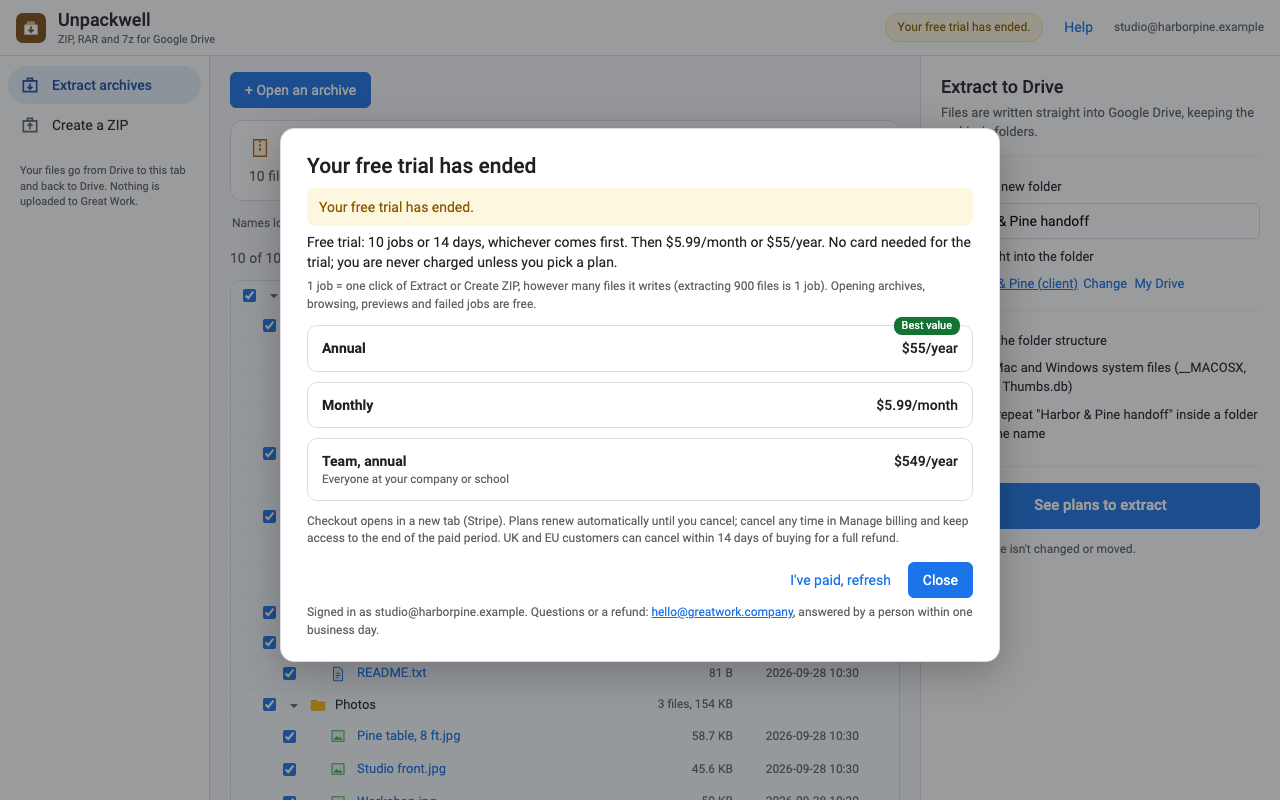
Try it free for 10 jobs or 14 days, whichever comes first. No card needed for the trial, and you are never charged unless you pick a plan. One job is one click of Extract or Create ZIP, however many files it writes: extracting 900 files counts once. Opening archives, browsing, previews and failed jobs are free. You always see whether you're on the trial before you start a job, never after.
One Google account. Every format, no file caps from the app.
One Google account. Cancel any time.
Team plan: everyone with an email address at your company or school domain.
Renewal: plans renew automatically at the same price (monthly or yearly) until you cancel. Cancel any time from Manage billing in the app or the link in your receipt; you keep access until the end of the period you paid for.
Refunds and the right to cancel: if you're in the UK or the EU you can cancel within 14 days of buying and get a full refund. Anyone charged by mistake gets the charge refunded: email hello@greatwork.company.
Prices are in US dollars. Payment is handled by Stripe; we never see your card number.
Honest limits
- Password-protected ZIPs work. Encrypted RAR and 7z archives don't yet (you can still see what's inside).
- Split and multi-part archives (.z01, .part2.rar, .7z.001) aren't supported yet. Join the parts on a computer first.
- RAR, 7z, ISO, CAB, BZ2 and XZ archives up to 1 GB each. ZIP and TAR have no limit from Unpackwell.
- Links inside TAR archives are skipped, because Drive has no links.
- When zipping, Google exports each Doc, Sheet or Slides file up to 10 MB. Forms, Sites and shortcuts can't go in a ZIP and are listed as skipped.
- The work happens in your browser tab, so keep it open until the job finishes.
Install
Unpackwell is listed on the Google Workspace Marketplace. Search for "Unpackwell", or use the link on this page once the listing is live. It works in Google Drive on the web, in any current Chrome, Edge, Firefox or Safari.
Support
Email hello@greatwork.company. A person reads every message and answers within one business day.