Screenplay format in Google Docs
Fadewell is a screenplay formatter for Google Docs. Write your script the plain way and it lays it out in industry-standard format, live as you type, then exports a proper PDF, a Fountain file or a Final Draft file.
Email us to get Fadewell See pricing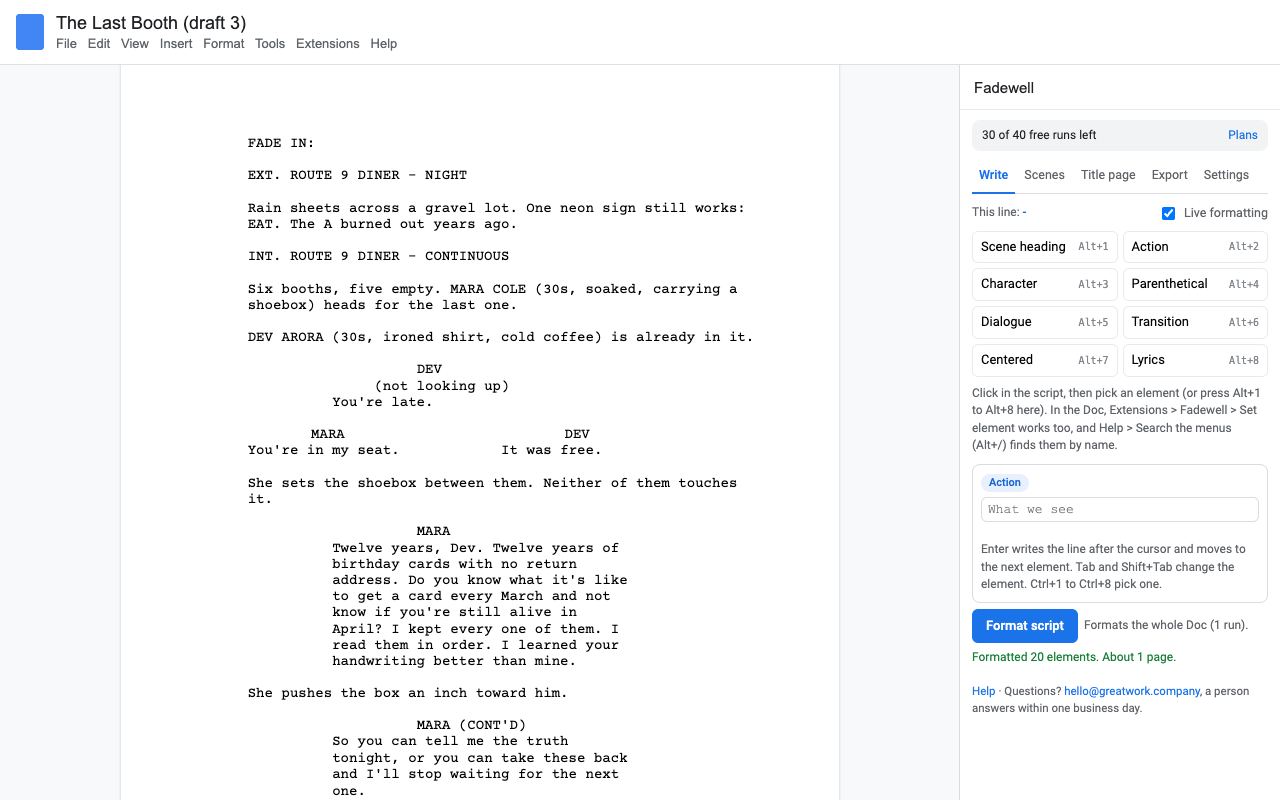
What it does
Scene heading, action, character, parenthetical, dialogue, transition, centered text, lyrics. Courier 12, the 1.5" left margin, the standard indents.
With the sidebar open, the lines around your cursor format themselves every couple of seconds. Type a name in capitals and the line under it becomes dialogue.
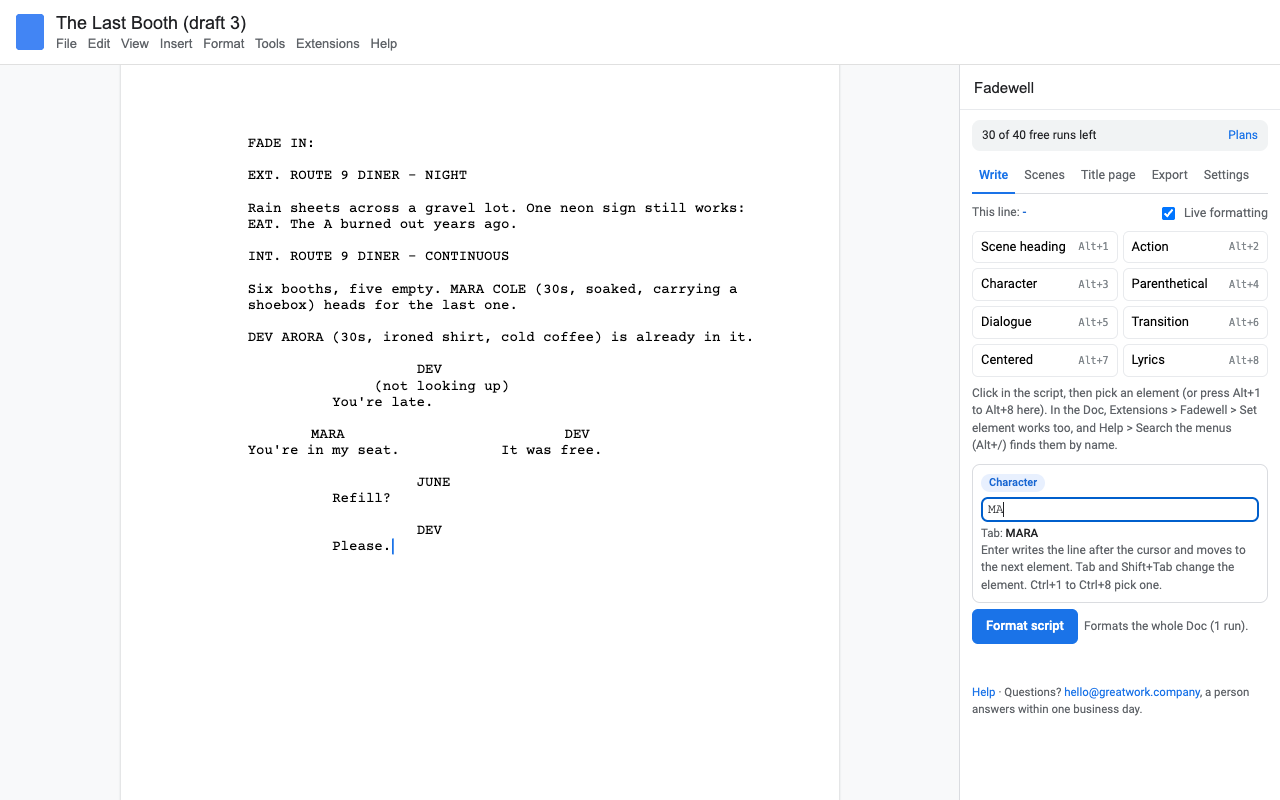
Alt+1 to Alt+8 set the element of your line. The composer works like screenwriting software: Enter goes from character to dialogue, Tab switches, names autocomplete.
Format again after a week of rewrites. Every line is read again, and the same script always gives the same result.
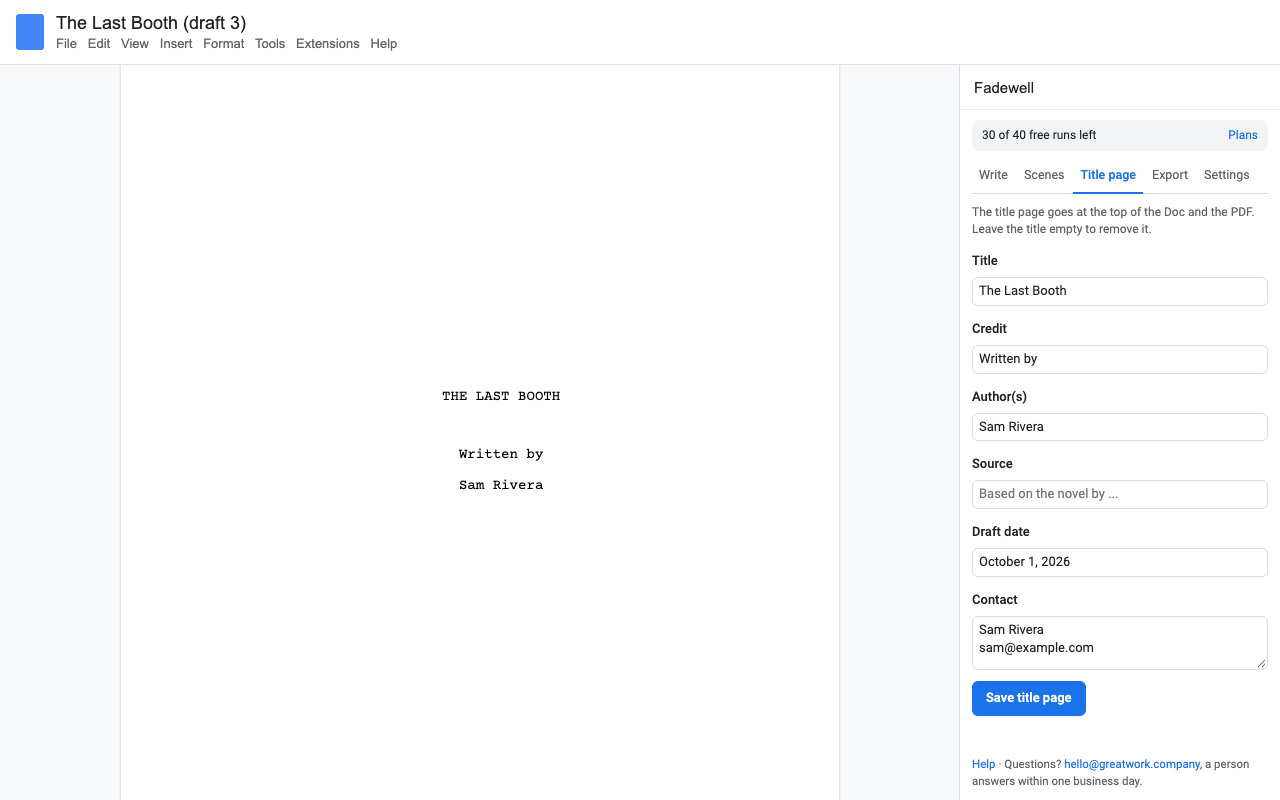
Two speeches side by side, a real title page, and a scene list with page numbers you can click to jump.
A PDF with page numbers, (MORE) and (CONT'D) and optional scene numbers. Import and export .fountain and .fdx.
How to format a screenplay in Google Docs
- Install Fadewell and open your script, or a new Doc.
- Choose Extensions > Fadewell > Open screenplay sidebar.
- Type the plain way, one element per line, with a blank line between blocks:
INT. DINER - NIGHT

Rain on the windows. MARA slides into a booth.

MARA
(to the waitress)
Coffee. Black.
- Press Format script. Keep writing with live formatting on, and press it again whenever you like.
- Open the Export tab for a PDF, Fountain or Final Draft file.
The rules it follows
Fadewell reads your script the way the Fountain screenplay format does, so there's nothing new to learn if you've used it, and very little if you haven't.
| Element | How Fadewell knows |
|---|---|
| Scene heading | Starts with INT., EXT., EST., INT./EXT. or I/E. Force any line with a leading . |
| Character | A line in capitals with dialogue under it. Extensions like (V.O.) are fine. |
| Dialogue and parentheticals | The lines under a character, until a blank line. A line in brackets is a parenthetical. |
| Transition | Capitals ending in TO:, or FADE OUT. |
| Dual dialogue | A ^ after the second character's name. |
| Notes | [[like this]] stay in your Doc and never print. |
Picked a different element for a line from the sidebar? Fadewell remembers it for that line in that Doc.
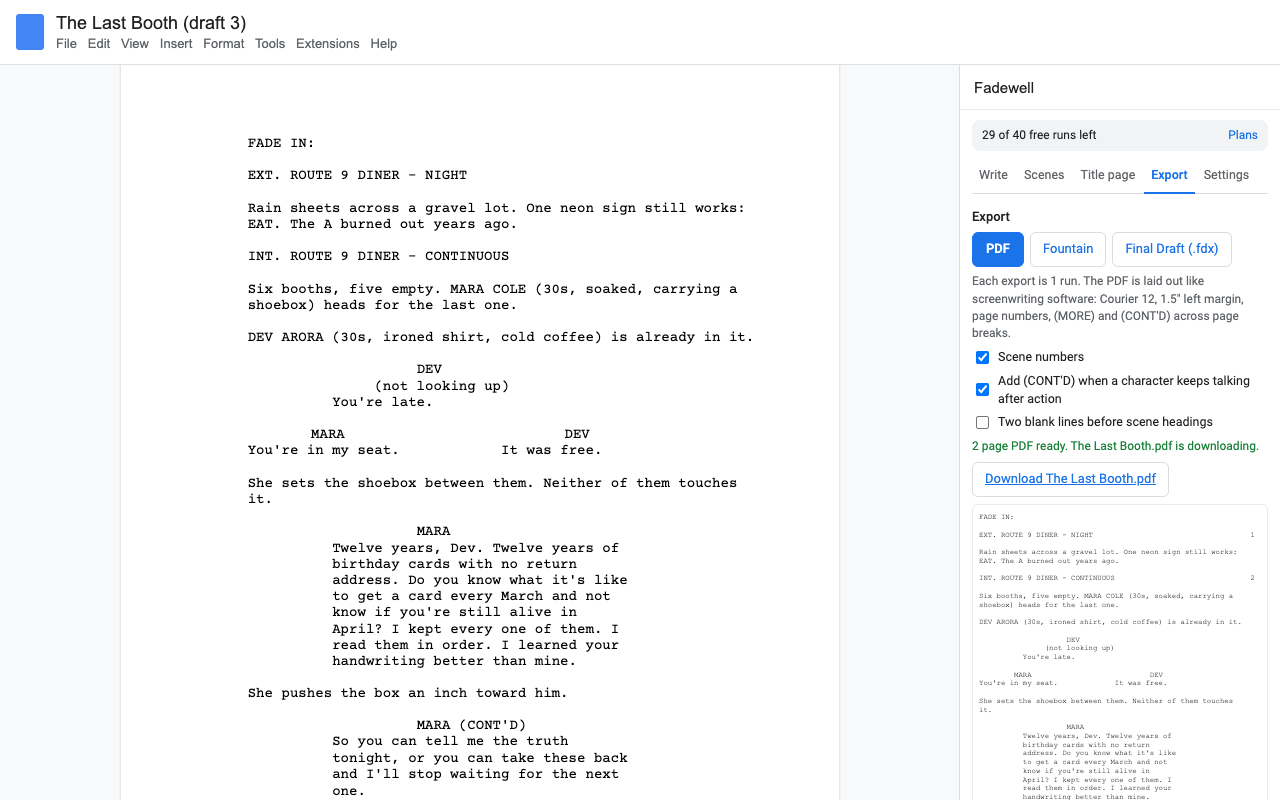
A PDF that looks like it came from screenwriting software
The PDF is laid out on its own grid, not printed from the Doc: Courier 12 at 10 characters an inch, 55 lines a page on US Letter (A4 too), page numbers from page 2, scene headings never stranded at the bottom of a page, long speeches split only between sentences with (MORE) and NAME (CONT'D), and an optional (CONT'D) when a character keeps talking after action. Scene numbers go in both margins when you want them. It's built in your browser and downloads straight away.
Final Draft files
Need to hand someone an .fdx? Export one. Got one from a co-writer or a contest? Import it, with dual dialogue, scene numbers and the title page.
Pricing
Every feature, one Google account.
Same features, billed monthly.
Lifetime access for one Google account. One payment, never renews.
School or studio plan: everyone on your Google Workspace domain.
14 days or 40 runs, whichever comes first. No card needed. A run is one Format script, import or export; live formatting and the element buttons don't count.
No surprise charges. We never charge you unless you start a checkout yourself. The sidebar shows your trial status and these prices from the first minute. When the trial ends Fadewell shows the plans and stops formatting; nothing is charged and your script stays exactly as it is in your Doc. There is no free tier after the trial.
Renewal. Monthly, yearly and domain plans renew automatically at the same price until you cancel. Cancel any time from Extensions > Fadewell > Plans and billing, in one step. You keep access until the end of the period you paid for. Lifetime never renews.
Right to cancel (UK and EU). If you are a consumer in the UK or EU, you can cancel within 14 days of buying and get a full refund. Email hello@greatwork.company or cancel in Plans and billing and reply to the receipt.
Mistakes. Charged twice or by accident? Email us and we'll refund it. A person answers within one business day.
Prices are in US dollars and exclude any sales tax or VAT that applies where you live. Payments are processed by Stripe; we never see your card number.
Why switch
| What people say about other screenplay add-ons | What Fadewell does |
|---|---|
| "One of the permissions ... makes it seem like the app will be able to delete my google documents" | Fadewell can only touch the Doc you open it in. It asks for nothing else in your Drive. |
| "Doesn't work past 2022" | Maintained, and a person answers support email within one business day. |
| "Confusing", "no instructions" | Element buttons, a composer and one Format button, with a one-page help. |
| "Wish there was a way to make shortcuts" | Alt+1 to Alt+8, Enter and Tab in the composer, and Docs menu search. |
| Re-formatting ignores later edits | Every run reads every line again. |
| A line limit announced only in a change log | The trial and the price are in the sidebar and on this page before you start. |
Help
Does it work with my co-writer?
Yes. The formatting lives in the Doc, so anyone you share it with sees the formatted script. To format their own new lines they need Fadewell too.
What counts as a trial run?
Each Format script, import or export. Live formatting, the element buttons and the composer don't count.
Why does a line in capitals become a character?
That's the screenplay rule: a name in capitals with dialogue under it. If it's really action, put the cursor on it and press Alt+2 (or the Action button). Fadewell remembers.
Still stuck?
Email hello@greatwork.company. A person replies within one business day.
Privacy
- Google data it accesses: only the Doc you open Fadewell in (Google's "current document only" permission). It reads and formats that Doc's paragraphs and inserts the lines you write or import. No access to your other documents or your Drive.
- Your script stays with you: PDF, Fountain and Final Draft files are built in your browser and download straight to your computer. Your script is never sent to Great Work or anyone else.
- What reaches Great Work: your Google account email, the product id and a count of trial runs, for billing. See the full privacy policy.
- Sharing: we don't sell data, use it for ads, or use it to train AI models.
- Fadewell's use and transfer of information received from Google APIs adheres to the Google API Services User Data Policy, including the Limited Use requirements.