Custom page sizes in Google Docs
Google Docs gives you a short list of paper sizes. Trimwell sets any width and height: 6 x 9 paperbacks, index and recipe cards, postcards, envelopes, shipping labels, posters. Margins that fit the page, a preview first, and Undo after.
Email us to get Trimwell See pricing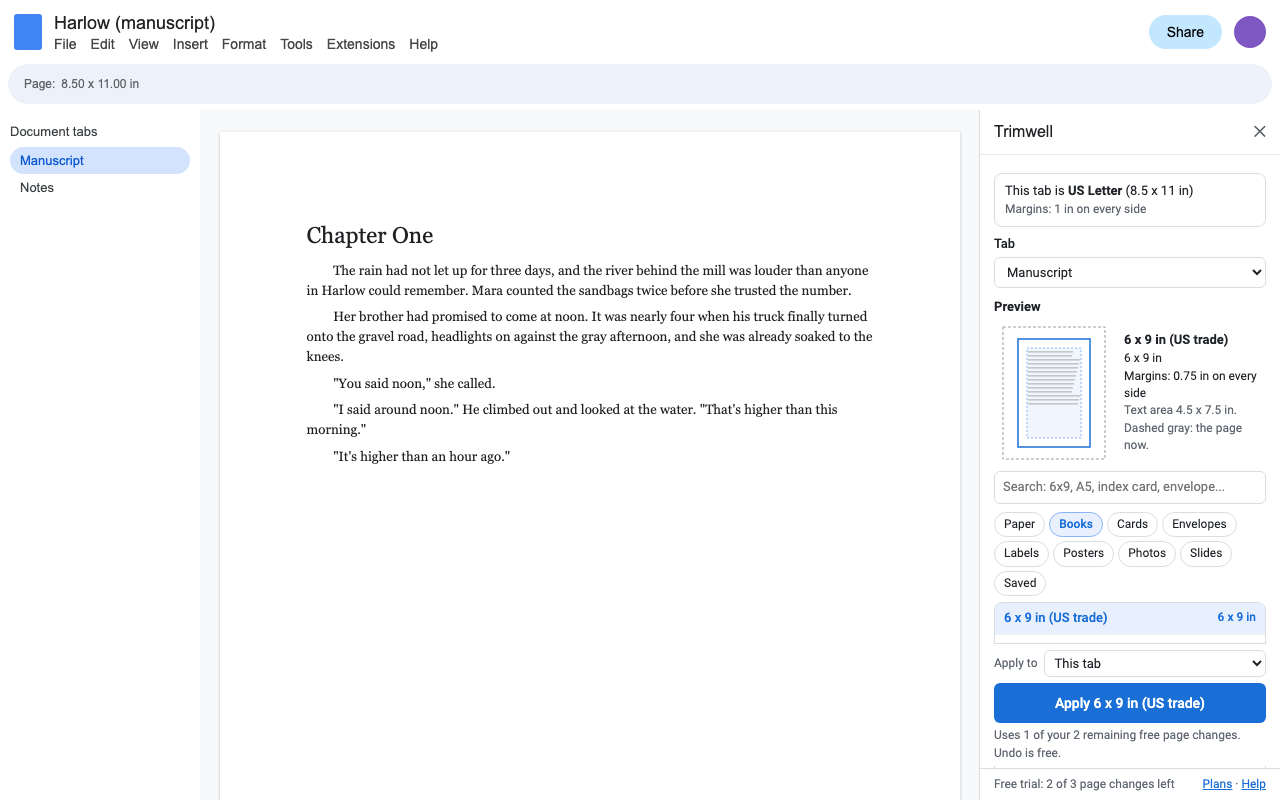
What it does
Inches, centimeters, millimeters, points or pixels. Portrait or landscape. Type 8 1/2 or 152 mm.
US and ISO paper, every common KDP book trim, cards, envelopes, labels, posters, photos and slide-shaped pages. Search by name or by size.
Small on a business card, wider on a poster. Keep your own, use one value, or set each side. Text never ends up with no room.
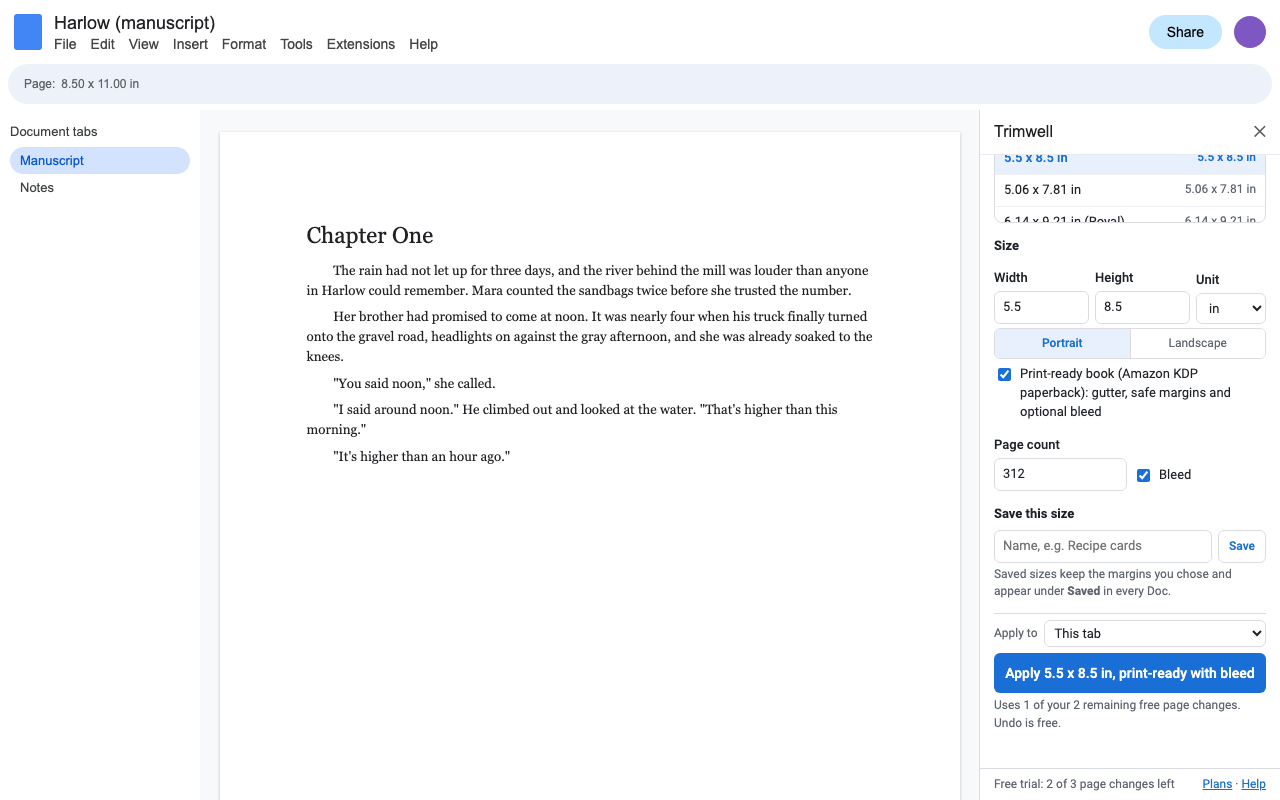
Enter your page count: Trimwell sets the KDP gutter, safe margins and optional bleed.
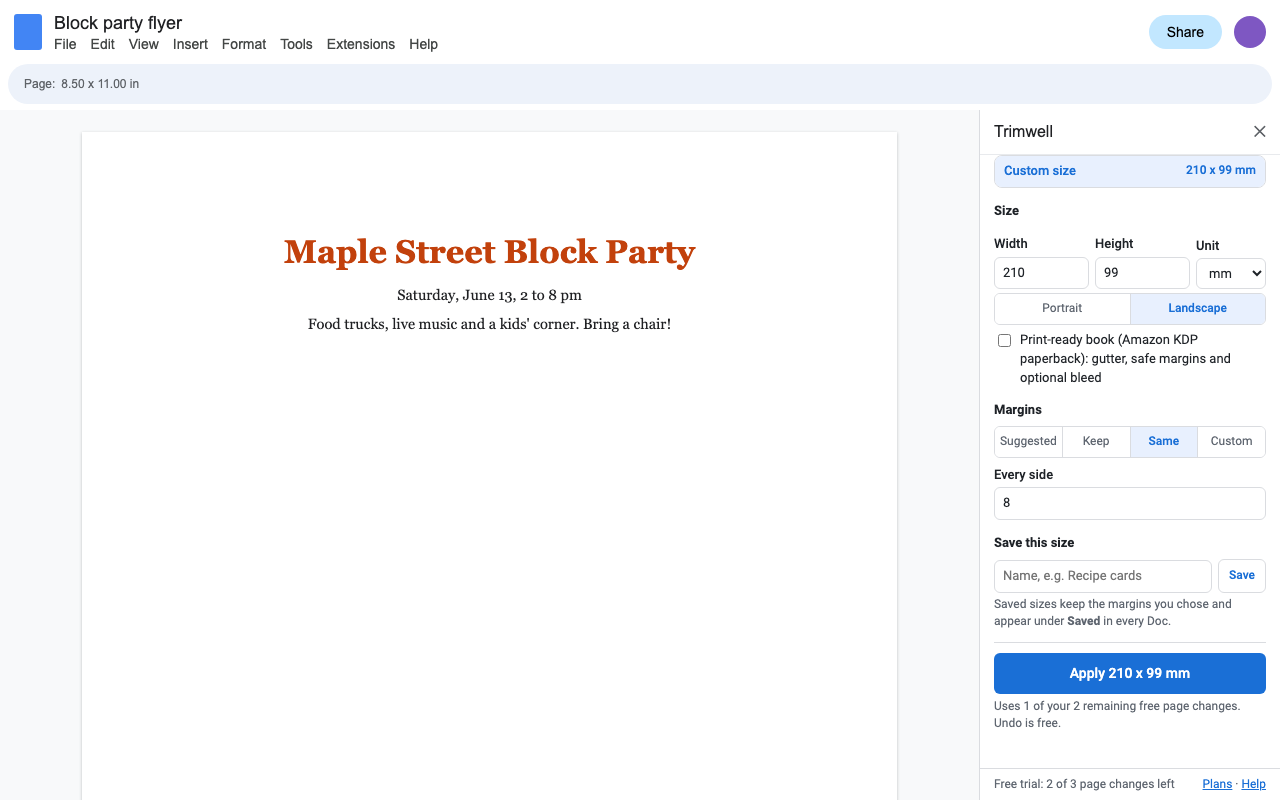
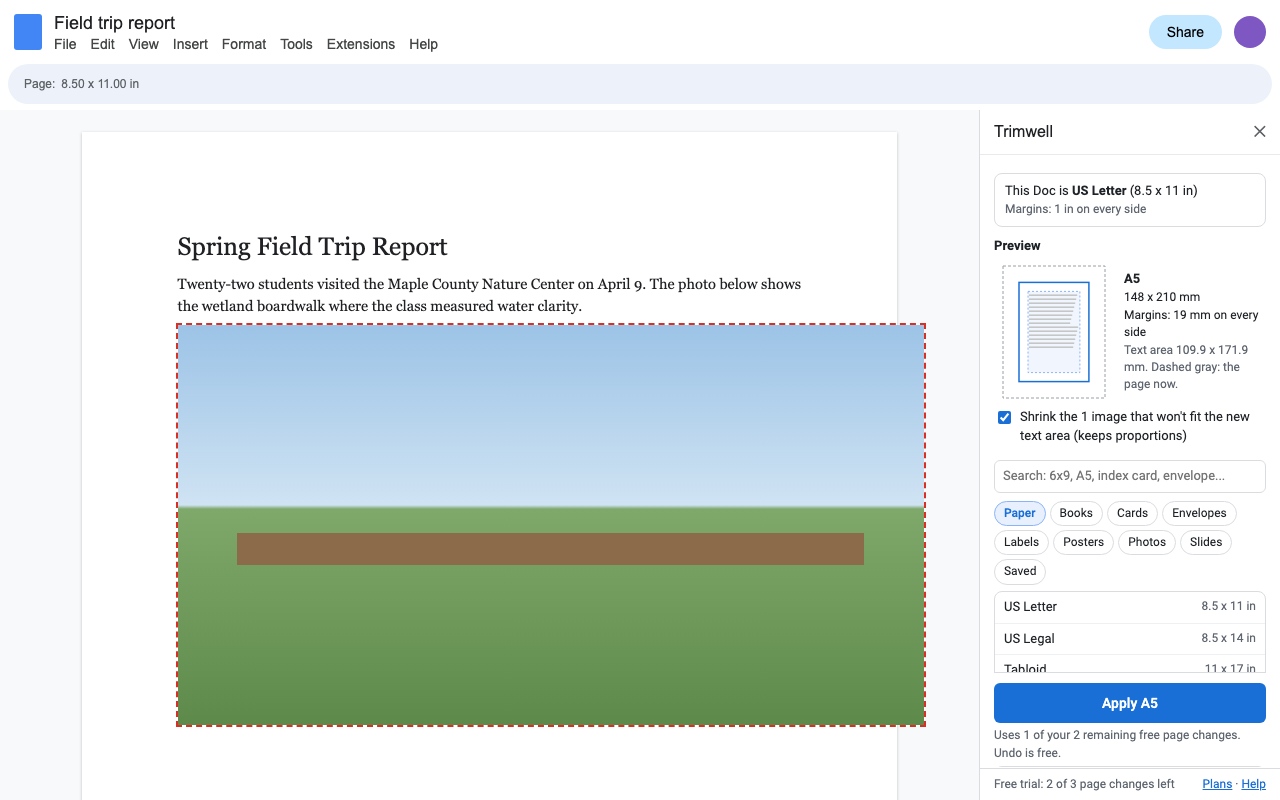
Pictures wider than the new page shrink to fit, in proportion. Undo puts them back.
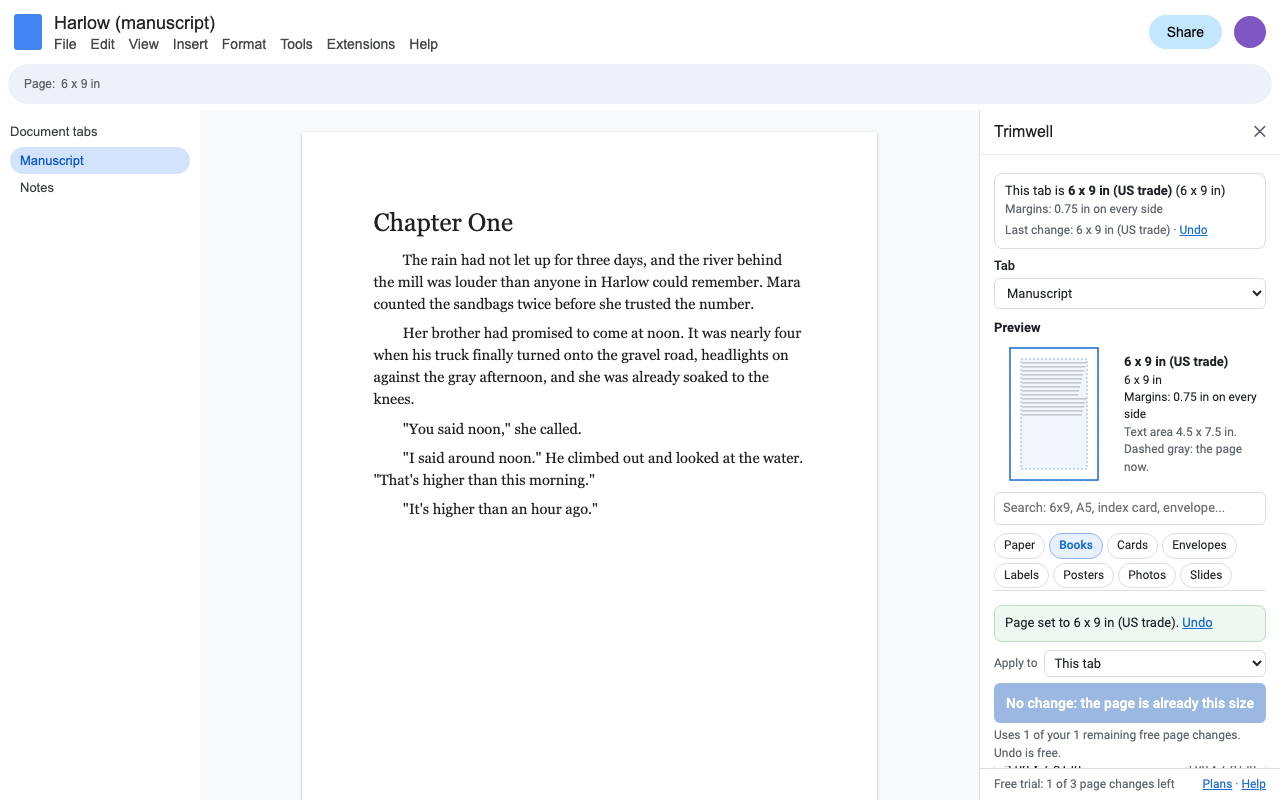
After each change Trimwell reads the size back from Docs and shows it. If Docs didn't take it, you're told why.
How to change the page size in Google Docs
- Install Trimwell and open Extensions > Trimwell > Set page size. The sidebar shows the size your Doc has now.
- Pick a size from the library, search for one (6x9, A5, #10 envelope), or type a width and height.
- Choose margins, check the preview (the blue page is the new size, the dashed outline is the current one) and press Apply.
How to make a 6 x 9 book in Google Docs
Open Extensions > Trimwell > Book and print sizes, pick 6 x 9 in (or any KDP trim), tick Print-ready book, enter the page count and tick Bleed if images run to the edge. Trimwell sets the page (6.125 x 9.25 in with bleed) and margins wide enough for KDP's gutter at that page count on both sides, since Docs can't mirror margins. Download a PDF from File > Download when you're done.
Index cards, recipe cards, postcards and envelopes
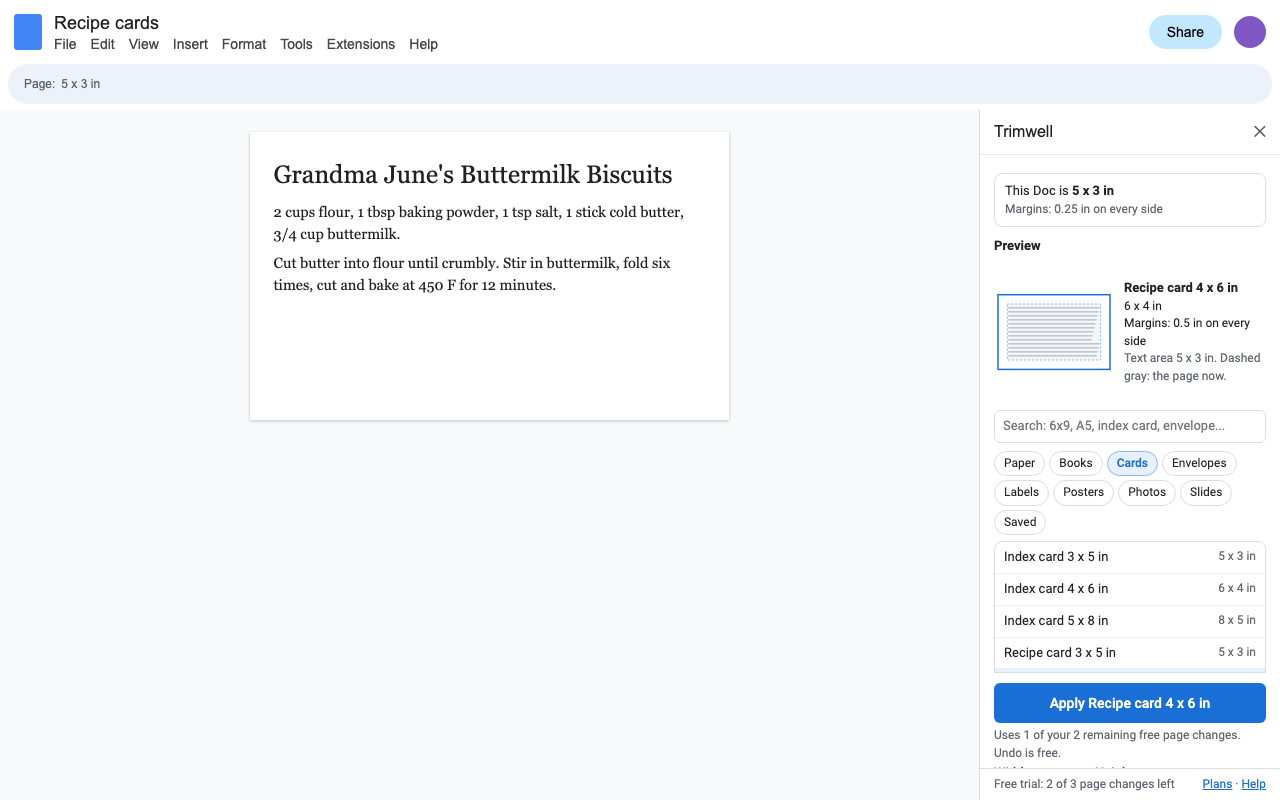
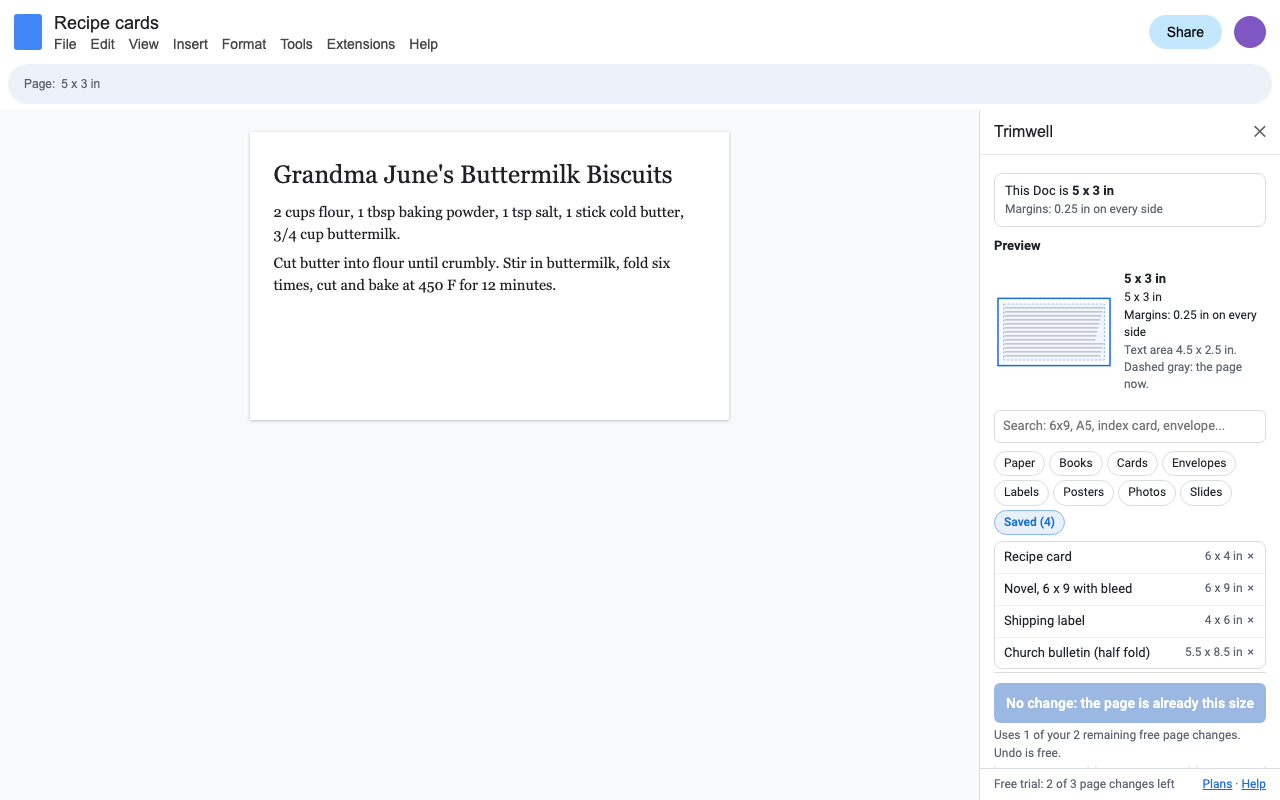
Pick Cards or Envelopes in the sidebar. Each page becomes one card or one envelope face, with small margins that suit it. Save the setup (for example "Recipe cards") and it's one click in any Doc after that.
| Cards | Index and recipe 3 x 5, 4 x 6, 5 x 8 in; postcards 4 x 6, 5 x 7, 6 x 9; greeting A2 and A7; business cards 3.5 x 2 in and 85 x 55 mm; bookmarks, place and rack cards |
|---|---|
| Envelopes | #10, #9, #6 3/4, A2, A7, Monarch, 6 x 9 and 9 x 12 catalog, DL, C4, C5, C6 |
| Labels | 4 x 6 shipping labels, 4 x 3, 4 x 2, small address and barcode labels, 62 mm labels, 80 mm receipts |
| Posters | 11 x 17, 12 x 18, 18 x 24, 24 x 36, 27 x 40, 36 x 48 in, A2, A1, A0 |
Pricing
One Google account. Cancel any time.
One Google account. About $2.42 a month.
Free trial: 3 page changes or 7 days, whichever comes first. No card needed. One Apply counts once, even when it changes every tab. Previews, saved sizes and Undo are always free, during and after the trial.
Renewal: monthly and yearly plans renew automatically until you cancel in Extensions > Trimwell > Plans and billing (Manage billing). You keep access until the end of the period you paid for.
UK and EU customers: you can cancel within 14 days of your first purchase for a full refund, no reason needed. Email hello@greatwork.company.
There is no free-forever plan, and nothing is charged inside the add-on without you choosing a plan first. Your Google account is your license: no separate account and no email verification step.
Privacy and permissions
- Only the Doc you open it in. Trimwell uses Google's "current document only" permission. It can't see the rest of your Drive or your other Docs.
- It never reads your text. It reads and sets page size, margins, tab names and image sizes. Everything runs inside Google Apps Script under your account; nothing in your Doc is sent to Great Work.
- What it stores: one Undo snapshot (sizes and margins before and after) with the Doc; your saved sizes in your Google account's private add-on storage.
- What reaches Great Work: your Google account email and how many page changes you made during the trial. Payments go through Stripe.
Full policy: addons.greatwork.company/privacy. Terms: addons.greatwork.company/terms.
Questions
Can one Doc have different page sizes?
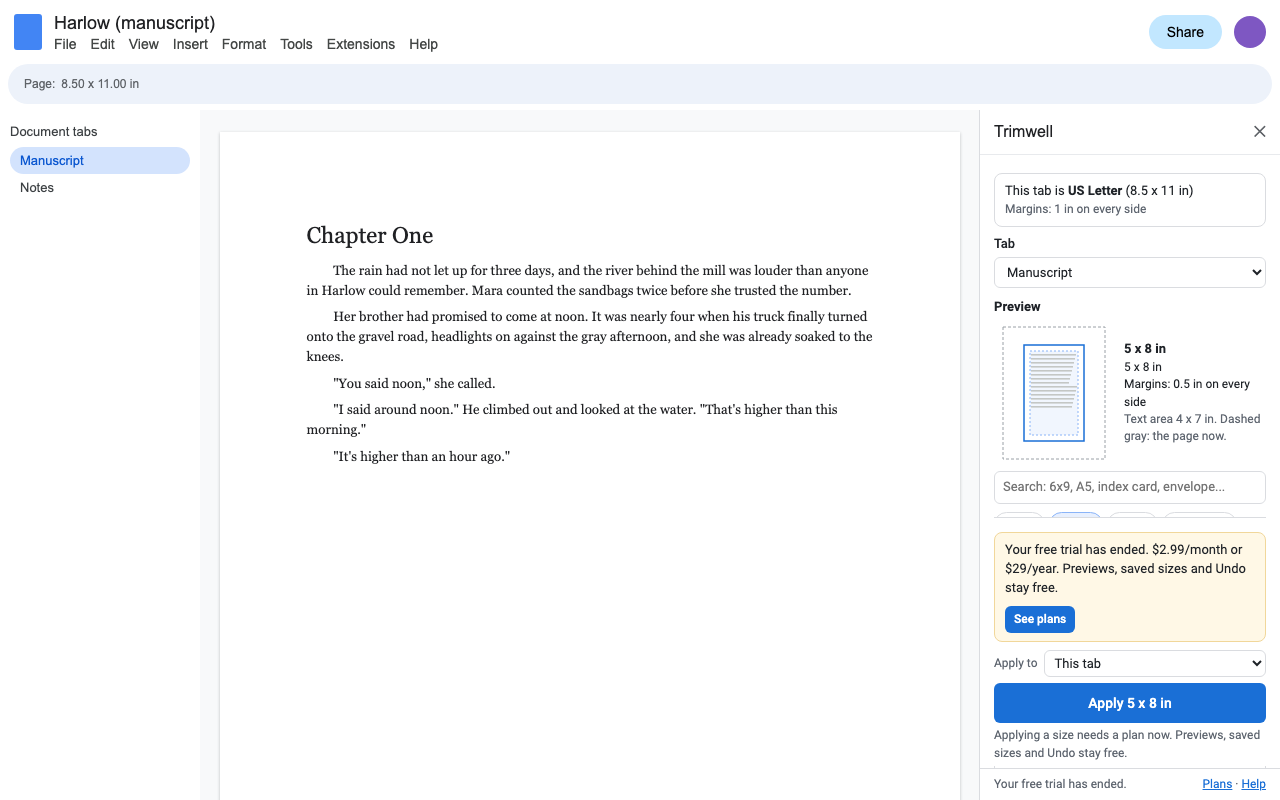
One per tab. Google Docs keeps one page size per document tab, so Trimwell can give each tab its own size (a 6 x 9 manuscript tab next to a Letter notes tab). Inside a tab, Docs can still turn single sections landscape.
I pressed Apply and the Doc didn't change.
Trimwell checks after every change and says so. The usual reason is a pageless Doc: choose File > Page setup > Pages, then apply again.
Will it work for Amazon KDP?
Yes. The library has every common KDP paperback trim, and Print-ready book sets the gutter for your page count and the bleed size. Check KDP's previewer after you upload, as you would with any file.
Google keeps asking me to authorize it.
That happens when several Google accounts are signed in to the same browser. Open the Doc in a window where only one account is signed in, or a private window.