Merge Google Docs into one, with the formatting intact
Compilewell combines many Google Docs into a single Doc: headings, lists, tables, images, footnotes and tabs come along. Drag them into order, add a table of contents, and refresh the merged Doc whenever the originals change.
Email us to get Compilewell See pricing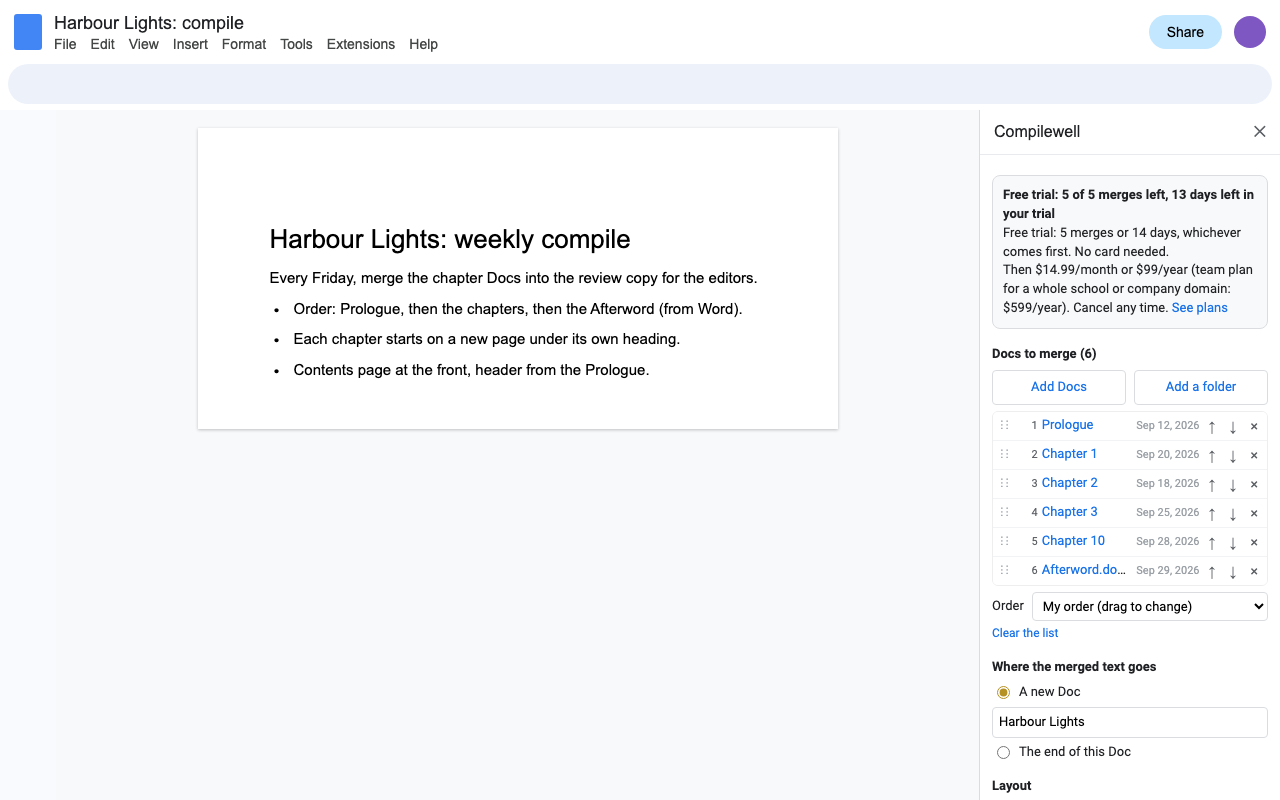
What it does
Pick Docs with Google's file picker, several at once, or a whole folder. Drag them into order or sort by name (Chapter 2 before Chapter 10), last edited or created date.
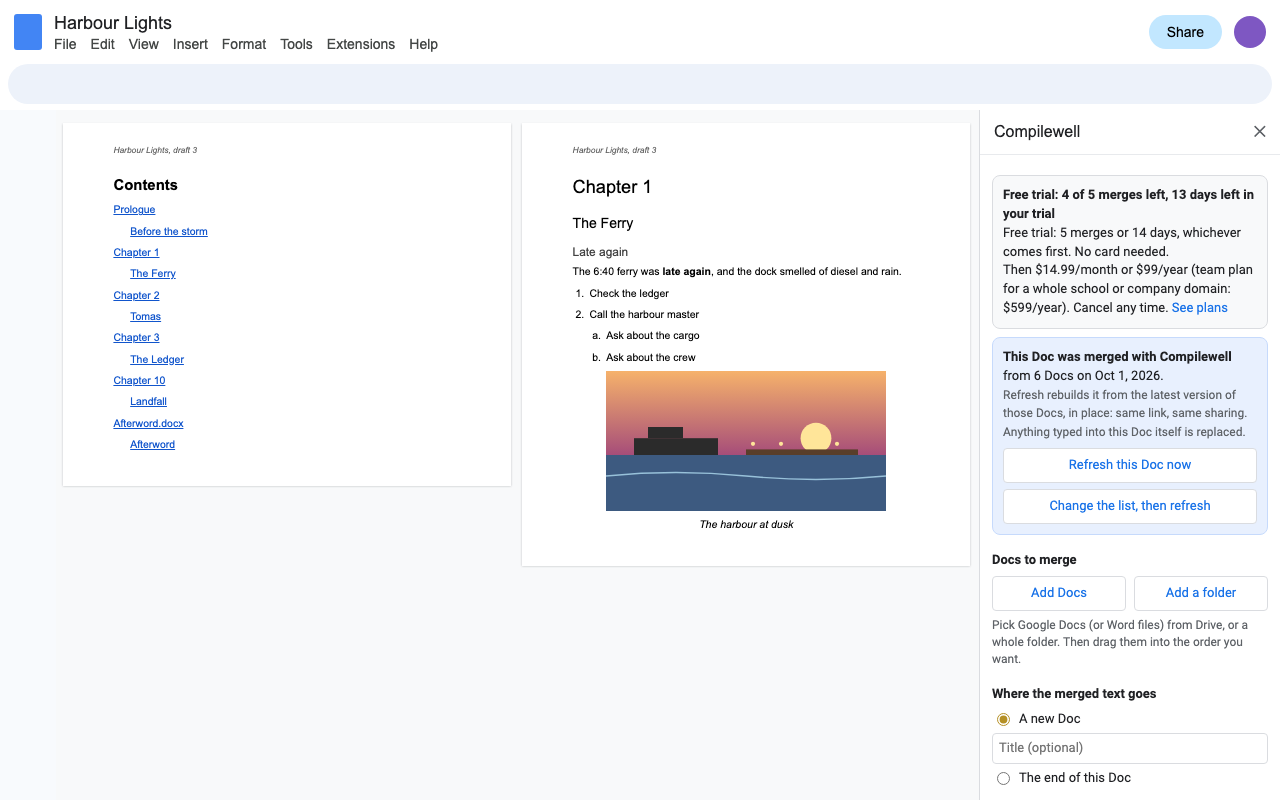
Headings, fonts, colors, bulleted and numbered lists with their nesting, tables with merged cells and colors, images, footnotes, links and people, file and date chips.
Page or section breaks between Docs, each Doc's name as a heading, a linked table of contents, and the first Doc's header, footer and page setup.
Every tab of a multi-tab Doc, in order, or just the first. Or build the merged Doc with one tab per Doc.
Open a merged Doc and click Refresh: it is rebuilt from the latest version of every source, with the same link and the same sharing.
.docx, .doc, OpenDocument, RTF, text, Markdown and HTML files are merged like Docs. Your original files are never changed.
How to merge Google Docs into one with Compilewell
- Install Compilewell, open any Google Doc and choose Extensions > Compilewell > Merge Docs.
- Click Add Docs and pick the Docs (hold Ctrl or Cmd to pick several), or pick a folder.
- Drag the list into order, or choose a sort.
- Choose A new Doc or The end of this Doc, and the layout options you want.
- Click Merge. Big merges show a progress bar; keep the sidebar open, or click Continue later.
- Next time the originals change, open the merged Doc and click Refresh this Doc.
Who uses it
| You have | Compilewell makes |
|---|---|
| A book or thesis written one chapter per Doc | One manuscript with a table of contents, refreshed after every edit pass |
| Student work in a shared folder | One portfolio or one Doc to print and mark, sorted by name |
| Reports from several departments | A board pack with each report on its own page under its own heading |
| Weekly meeting notes | A running archive, newest first, or one tab per meeting |
| Word files from outside the company | One Google Doc with all of them, formatting kept |
What Google's API can't copy
We'd rather tell you now: comments, suggestion marks, drawings (Insert > Drawing), equations and page number fields can't be copied by the Google Docs API that Compilewell uses. Compilewell marks drawings and equations in the merged Doc so you can find them, lets you merge suggested edits as accepted or leave them out, and lists after every merge anything it couldn't copy exactly. Linked charts arrive as pictures and images with text wrapping arrive in line.
Pricing
About $8.25 a month. Every feature, one Google account, no monthly document cap.
Same features, billed monthly. Cancel when the project is done.
Team plan: everyone at your school's or company's Google Workspace domain.
5 merges or 14 days, whichever comes first. Every feature. No card needed. The 14 days start when you first open Compilewell.
No surprise charges. We never charge you unless you start a checkout yourself. Compilewell shows your trial status and these prices from the first minute. Merges that fail or that you stop are never counted. When the trial ends, it shows the plans; nothing is charged and your merged Docs stay yours.
Renewal. Monthly, annual and team plans renew automatically at the same price until you cancel. Cancel any time from Extensions > Compilewell > Plans and billing, in one step. You keep access until the end of the period you paid for.
Right to cancel (UK and EU). If you are a consumer in the UK or EU, you can cancel within 14 days of buying and get a full refund. Email hello@greatwork.company or cancel in Plans and billing and reply to the receipt.
Mistakes. Charged twice or by accident? Email us and we'll refund it.
Prices are in US dollars and exclude any sales tax or VAT that applies where you live. Payments are processed by Stripe; we never see your card number.
Why switch
| What people say about other merge add-ons | What Compilewell does |
|---|---|
| "Doesn't work at all", "keeps throwing up errors" (2025 and 2026 reviews) | Built and tested in 2026 against the current Docs API, tabs included. A person answers email within one business day. |
| "Does not load interface properly, just ads" | No ads. A clear sidebar and a price you see before you start. |
| "Unable to select folders" | Pick a folder and every Doc in it is added, sorted by name. |
| Can't add .doc files | Word, OpenDocument, RTF, text, Markdown and HTML files merge like Docs. |
| Asks to "see, edit, create and delete all your Google Docs documents" | Opens only the files you pick and the Docs it creates. |
| Monthly document caps and 150 Docs per merge | No monthly cap, 200 Docs per merge, and big merges resume where they stopped. |
Help
Why does it ask me to pick this Doc to add to the end of it?
Compilewell only gets access to files you pick, so it never needs access to all your Docs. Adding to the Doc you have open needs that one Doc picked once; the sidebar opens a picker showing only that Doc.
I picked a folder and nothing was added.
Sometimes Google shares the folder but not its files. The sidebar then offers Select the files in this folder: one click (Ctrl+A or Cmd+A) selects them all.
Can a colleague refresh a Doc I merged?
Yes. They see the Refresh button in the merged Doc; Compilewell asks them to pick the source Docs once, because Google only lets it open files each person picked.
How long can a merge be?
Up to 200 Docs at a time. Long merges run in steps with a progress bar, well inside Google's time limits. If you close the sidebar, the merge pauses and Continue picks it up later.
What counts as a trial merge?
A merge that finishes: a new merged Doc, an append, or a refresh. Picking, ordering, failed and stopped merges don't count.
Still stuck?
Email hello@greatwork.company. A person replies within one business day.
Privacy
- Google data it accesses: only the files you pick in Google's file picker and the Docs it creates. It reads the picked Docs and doesn't change them. It can't see the rest of your Drive.
- Word and other files: converted to a temporary Google Doc in your Drive for the merge and deleted straight after. Your original file is never changed.
- What it keeps: in your Google account's private add-on storage, the list you were working on and the recipe of each merged Doc so it can be refreshed. In a merged Doc, the same recipe so collaborators can refresh it.
- What reaches Great Work: your Google account email, the product id and a count of finished merges, for billing. Never any document content. See the full privacy policy.
- Sharing: we don't sell data, use it for ads, or use it to train AI models.
- Compilewell's use and transfer of information received from Google APIs adheres to the Google API Services User Data Policy, including the Limited Use requirements.